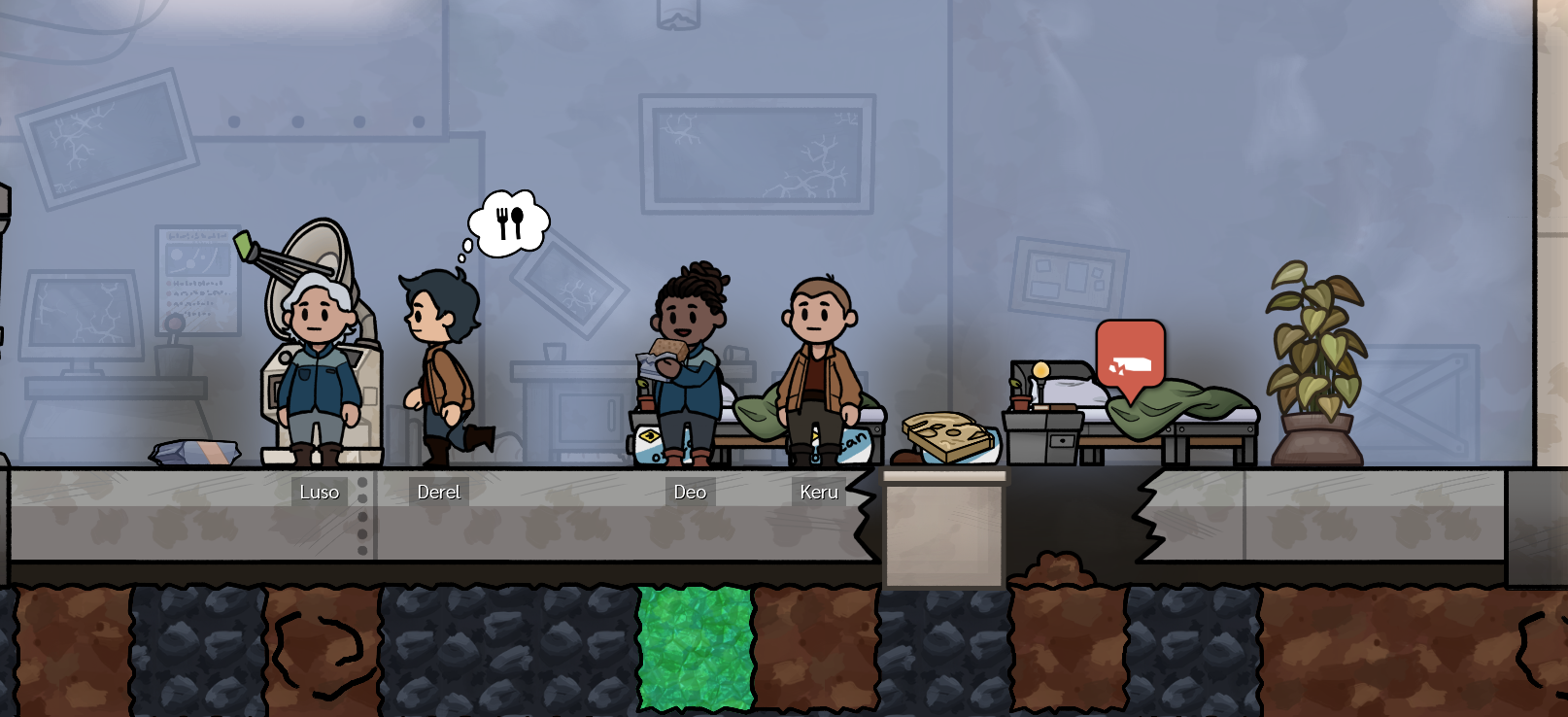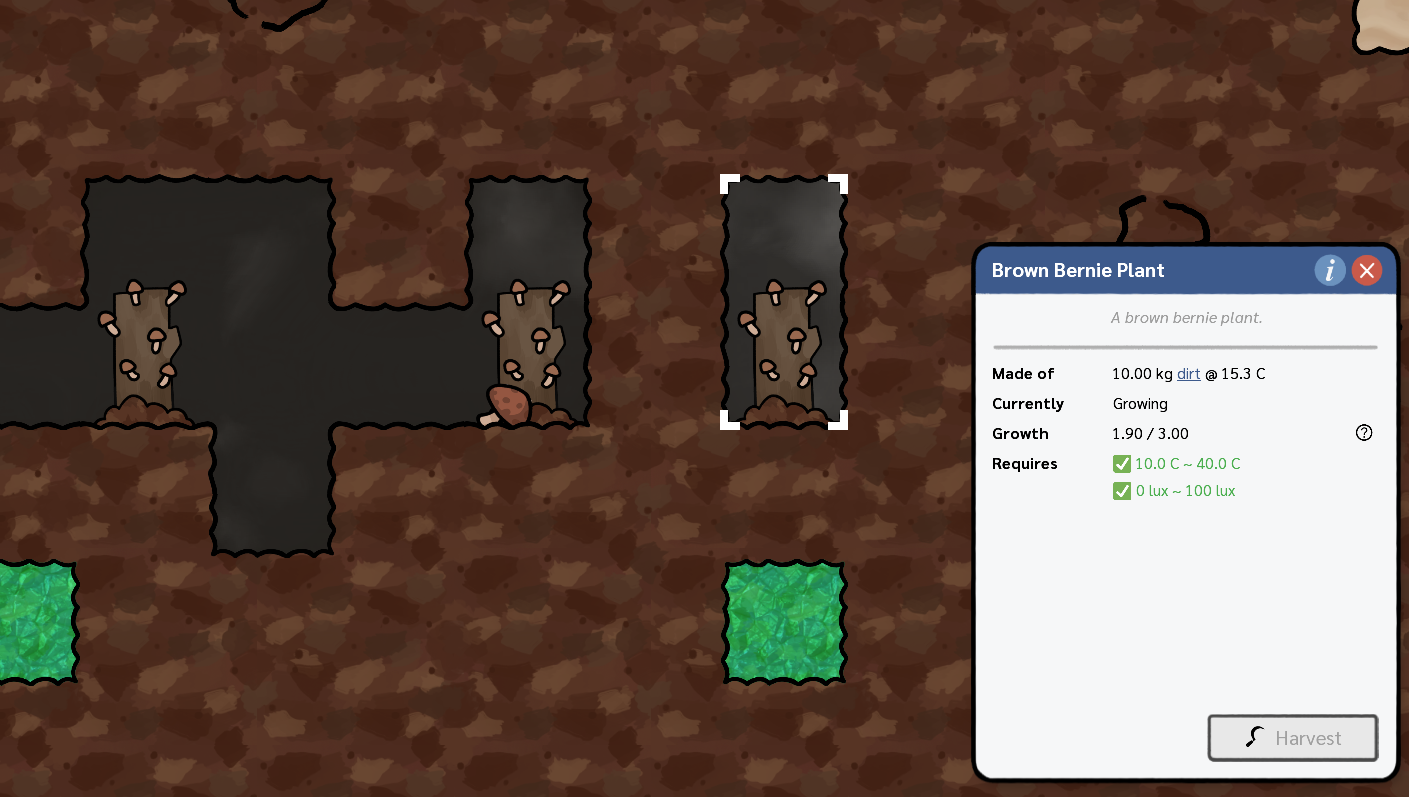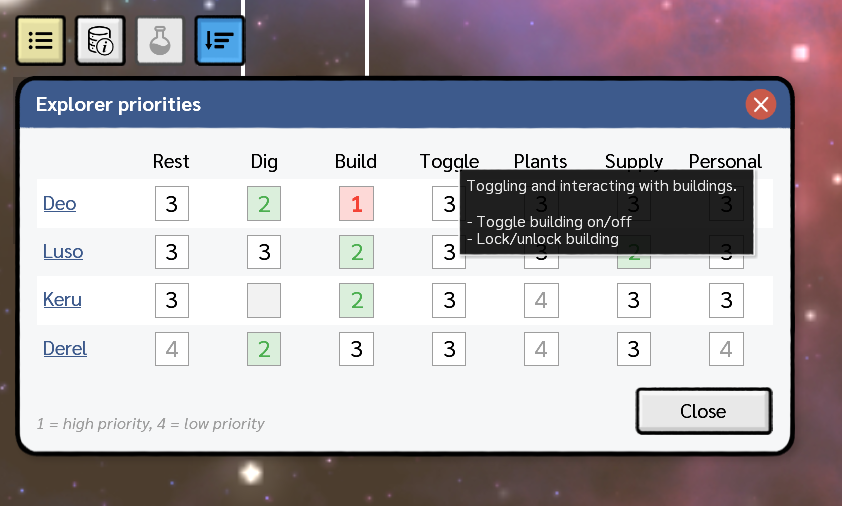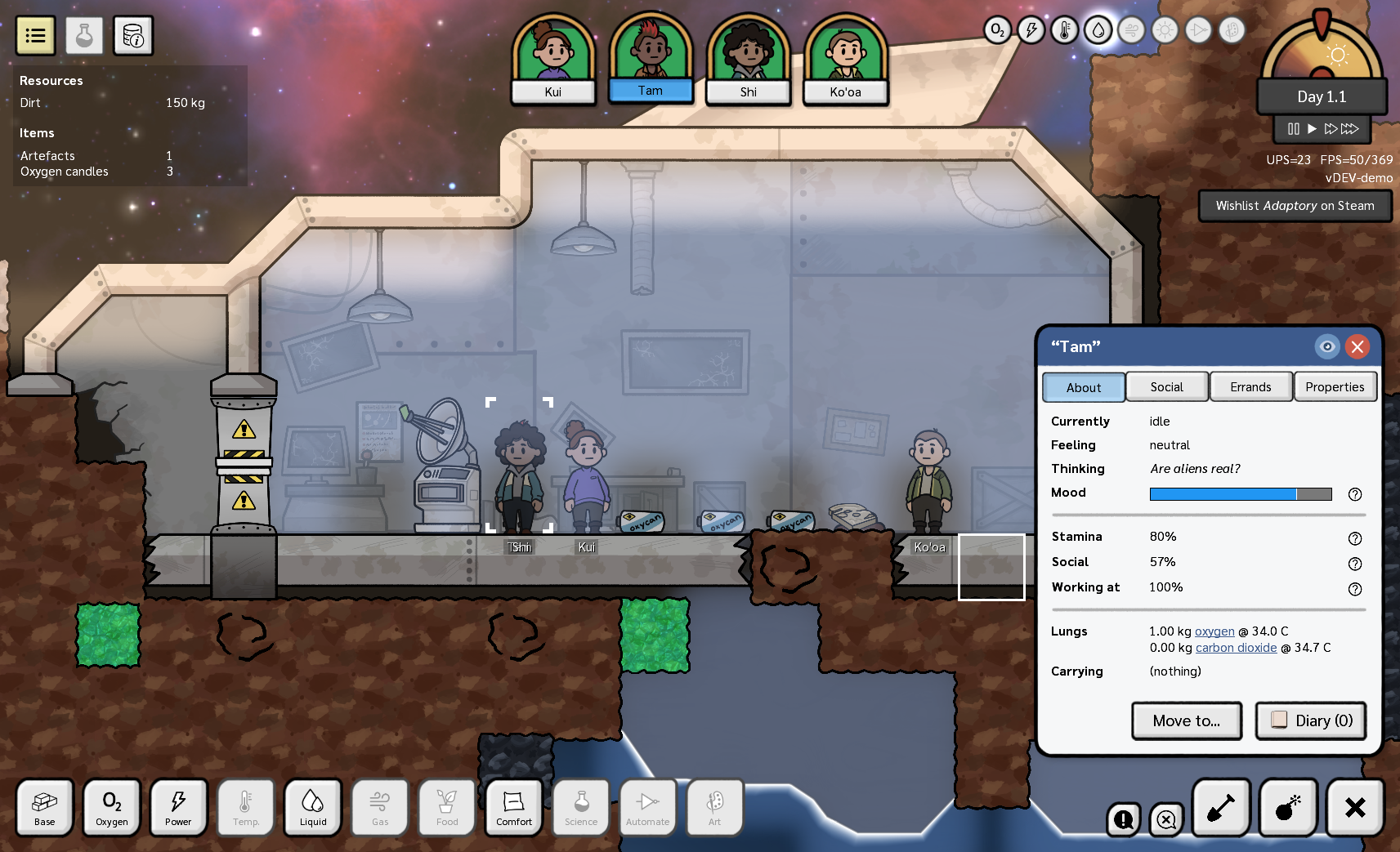
<?xml version="1.0" encoding="utf-8"?><feed xmlns="http://www.w3.org/2005/Atom" ><generator uri="https://jekyllrb.com/" version="3.10.0">Jekyll</generator><link href="https://stormcloak.games/feed.xml" rel="self" type="application/atom+xml" /><link href="https://stormcloak.games/" rel="alternate" type="text/html" /><updated>2026-08-15T03:28:42+00:00</updated><id>https://stormcloak.games/feed.xml</id><title type="html">Stormcloak Games</title><subtitle>Developing fascinating and deep simulation video games</subtitle><entry><title type="html">The Temperature Update is LIVE!</title><link href="https://stormcloak.games/2026/08/06/update-2-live" rel="alternate" type="text/html" title="The Temperature Update is LIVE!" /><published>2026-08-06T17:00:00+00:00</published><updated>2026-08-06T17:00:00+00:00</updated><id>https://stormcloak.games/2026/08/06/update-2-live</id><content type="html" xml:base="https://stormcloak.games/2026/08/06/update-2-live"><![CDATA[<p><strong>The Temperature Update</strong> – Adaptory’s second <strong>free</strong> major update – is now <strong>LIVE!</strong></p>

<figure class="image">
  <a href="https://store.steampowered.com/app/2201620/Adaptory/"><img src="/assets/screenshots/2026-08-07-update-2.png" /></a>
</figure>

<p>Update 2 is a <strong>massive</strong> update, representing four months of focused development
and improvements on every aspect of the game.
This update introduces personalised bedrooms,
new heat gameplay and mechanics, more than twenty new buildings,
improved simulations, performance and tutorials, refined balance, quality of life improvements, and more…</p>

<p>Steam should automatically update your copy of Adaptory to the latest version.
If you don’t already have the game, Adaptory is featured in the
<a href="https://store.steampowered.com/sale/TinyTeams2026">Tiny Teams festival</a> with a <strong>20% discount</strong> – more below!!</p>

<figure class="steam">
  <iframe src="https://store.steampowered.com/widget/2201620/" frameborder="0" width="646" height="190"></iframe>
</figure>

<h2 id="tiny-teams">Tiny Teams</h2>

<figure class="image">
  <a href="https://store.steampowered.com/sale/TinyTeams2026"><img src="/assets/screenshots/2026-08-07-tiny-teams.png" /></a>
</figure>

<p>We’re thrilled and honoured for Adaptory to be in the official <strong>curated selection</strong> for <strong>Tiny Teams</strong> this year &lt;3</p>

<p><a href="https://www.yogscast.games/tinyteams">Tiny Teams</a> is <em>“the world’s greatest Steam Festival celebrating small studios making big games.
Exclusively featuring games from solo devs or micro studios, it is a week-long celebration on
Steam, Twitch, and YouTube, highlighting the power of the solo and tiny teams.”</em></p>

<p>I have no idea if or when Adaptory will be streamed or featured, but we’ll keep our <a href="/discord">Discord</a>
and <a href="https://bsky.app/profile/stormcloak.games">socials</a> up-to-date with all the latest info – hope to see you there!
And if you plan to do a stream of Adaptory anytime soon, <a href="mailto:jevon@stormcloak.games">please let me know</a>.
I’d love to pop in and say hi :D</p>

<h2 id="thank-you">Thank you</h2>

<p>Today my plan is to join as many Adaptory streams as possible,
to hang out on <a href="/discord">our Discord</a>, to see if there’s any remaining bugs
(and rapidly squish them with hotfixes),
to collect as much feedback as possible,
and then start making a plan for Adaptory’s <a href="https://store.steampowered.com/app/2201620/Adaptory/">next update</a>.</p>

<p>Thank you again to everyone who has helped to play one of the
unstable builds of Adaptory Update 2 – it’s very hard to
thoroughly test such an expansive and emergent game 😅
so I am extremely grateful.</p>

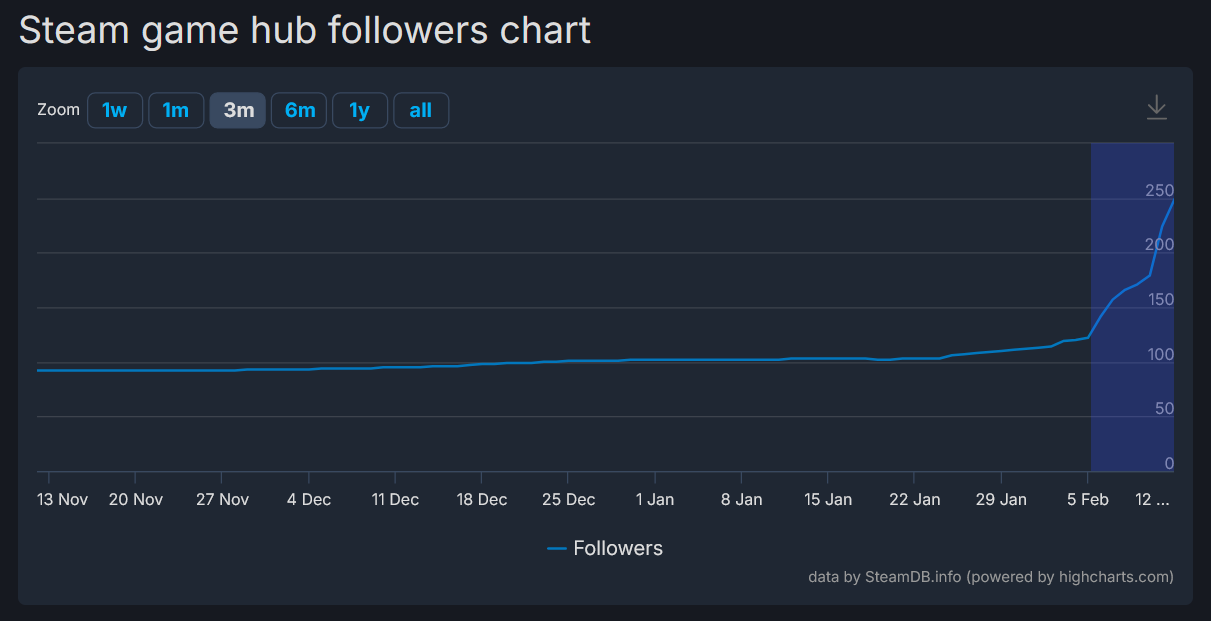
<p>Reviews are incredibly important to help improve Adaptory’s visibility going forward – so,
if you haven’t already,
please consider leaving an <strong>honest review</strong> of Adaptory <a href="https://store.steampowered.com/app/2201620/Adaptory/">on Steam</a>.
Thank you!</p>

<figure class="image">
  <a href="https://store.steampowered.com/app/2201620/Adaptory/"><img src="/assets/screenshots/2026-01-27-steam-review.png" /></a>
  <figcaption>Please consider leaving an honest review of Adaptory on Steam &lt;3</figcaption>
</figure>

<p>Full patch notes for Update 2 are below. I hope you enjoy the update! &lt;3</p>

<hr />

<h1 id="release-notes-for-adaptory-018-update-2-the-temperature-update">Release notes for Adaptory 0.18 (Update 2: The Temperature Update)</h1>

<h3 id="new-features">New features</h3>

<ul>
  <li>Story
    <ul>
      <li>The distress beacon now needs three more items in order to launch</li>
      <li>After day 5.0, explorers will want to give this new planetoid a name</li>
      <li>Added random planetoid name generator</li>
      <li>The transmitter and crashed ship will now always have a bouncing icon, to highlight how important they are to progress the story</li>
    </ul>
  </li>
  <li>Regions of the world can now belong to rooms
    <ul>
      <li>Bedroom: a personal bedroom with a single assigned bed</li>
      <li>Laboratory: a room containing a research desk, required for advanced research</li>
      <li>Conservatory: a room containing a planter box and at least three different plant types</li>
    </ul>
  </li>
  <li>Added new room overlay (default = <code class="language-plaintext highlighter-rouge">F4</code>)
    <ul>
      <li>When the room overlay is open, a small legend of each possible room is displayed in the top right</li>
    </ul>
  </li>
  <li>Improved liquid simulation
    <ul>
      <li>Large blobs of liquid should no longer be blocked by small amounts of gas</li>
      <li>Liquids should spread out more, as expected, and push back against overcompression in all directions</li>
      <li>Building an impassable tile over a liquid should now push liquids to the side, rather than above</li>
      <li>A liquids’ default maximum mass per tile (before it introduces expansive forces) is now its density, rather than a fixed 1000kg regardless of element type</li>
      <li>Liquids in a grate will now fall out as a drop, rather than a solid cell of water</li>
      <li>When creating a new drop, the simulation will now try to merge it with an existing drop if possible, to reduce noise</li>
      <li>In testing so far, this has made liquids feel much less “sticky”</li>
    </ul>
  </li>
  <li>Improved gas simulation
    <ul>
      <li>Large blobs of gas should no longer be blocked by small amounts of liquid</li>
      <li>Gases will now tend to “layer” more; carbon dioxide will pool towards the bottom of the map, and hydrogen will rise</li>
      <li>Gases no longer emulate atmospheric pressure due to gravity, and now expand equally in all directions</li>
      <li>When blocked by an impassable tile (such as a hatch, door, or newly-built tile), gases will now prefer to go up, rather than down</li>
      <li>A gases’ default maximum mass per tile is now its density, rather than a fixed 50kg regardless of element type</li>
      <li>In testing so far, this has made gas feel much less “sticky”, and carbon dioxide “heavier”</li>
    </ul>
  </li>
  <li>Heat convection
    <ul>
      <li>Added a “heat convection” component to the element simulation</li>
      <li>Temperature gradients will now diffuse much more rapidly across liquids and gases</li>
      <li>Hotter liquids and gases will now rise, and colder liquids and gases will fall</li>
      <li>This has been implemented with a new “convection coefficient” for all elements, which is a multiplier on the existing conductive heat transfer between two objects based on their elements, if the elements are of the same phase</li>
      <li>Heat convection does not occur for objects stored within other buildings, or for any object or cell that is not a liquid or gas</li>
    </ul>
  </li>
  <li>Heat capacity
    <ul>
      <li>All elements now have a heat capacity value, to try and more accurately simulate temperature transfer</li>
      <li>Heat capacity is “the amount of heat that must be added to one unit of mass in order to increase one unit of temperature”</li>
      <li>Heat transfer now considers the heat capacity of each object (using its primary element)</li>
      <li>For example, hot water (with a high heat capacity) placed upon dirt (with a low heat capacity) will more rapidly heat up the dirt</li>
    </ul>
  </li>
  <li>Heat transfer calculations
    <ul>
      <li>The simulation now considers all objects in a cell to be “touching” each other for heat transfer calculations, rather than each object only touching the atmosphere around it</li>
      <li>The heat flux between two objects now uses the thermal conductivity of the hotter object, rather than the minimum conductivity of either object, to more accurately model heat transfer</li>
      <li>The default surface area calculation for two objects is now based on the sum of their masses, rather than the ratio of masses between the hotter and colder object - and clamped between 0.01 and 10m^2</li>
      <li>Two neighbouring gases now have a fixed surface area of 10m^2 to emulate diffusion</li>
      <li>Two neighbouring liquids now have a fixed surface area of 2m^2 to emulate diffusion</li>
      <li>The heat flux between two objects stored within buildings (such as pipes and storage boxes) now use a fixed surface area of 0.1m^2, rather than a dynamic value based on the difference in mass between the object and the building, so that insulated pipes don’t immediately heat up their contents</li>
      <li>Explorers’ lungs use a surface area value of 0.5m^2</li>
      <li>Connected objects (such as tiles, wires and pipes) can now also conduct heat with each cell or building it’s connected to</li>
      <li>This should result in a better balanced transfer of heat within all objects in the game world</li>
    </ul>
  </li>
  <li>Most powered buildings now have an operating temperature range, and will not operate outside of that temperature range
    <ul>
      <li>The default range is -20°C ~ 100°C</li>
      <li>Exceptions include all sensors, pumps, and filters, so you are still able to interact with magma</li>
      <li>Building operating temperatures are not enabled in the “relaxed” difficulty setting</li>
    </ul>
  </li>
  <li>Item and building contents’ phase changes
    <ul>
      <li>Items will now change phase to a raw item if their temperature exceeds the range for their primary element</li>
      <li>If the item is stored inside a building (such as a storage box), it will exit that building in order to phase change</li>
      <li>This also now means that items like brown bernies, ration packs, and data chips can technically melt if they get too hot</li>
      <li>Masses stored within a building (such as liquid pipes’ contents) will now also phase change and exit if they get too hot/cold</li>
      <li>Mass within a natural spring will not phase change and exit if it gets too hot/cold</li>
    </ul>
  </li>
  <li>Heat generation
    <ul>
      <li>All buildings can now generate heat</li>
      <li>Lights, salt lamps, and batteries now generate small amounts of heat</li>
      <li>Some buildings now have a thermal conductivity multiplier, which increases or decreases the rate of heat transfer with other objects</li>
    </ul>
  </li>
  <li>Background temperatures
    <ul>
      <li>Each cell in the world now has a “background temperature”, which very gradually increases or decreases the temperature of the mass in that cell to that background temperature</li>
      <li>(Internally, background temperature is implemented as a virtual 100g clump of dirt)</li>
      <li>Background temperature impact is adjustable by difficulty level</li>
      <li>Background temperature can be blocked by background panels, tiles, and grates</li>
      <li>World generation now uses the background temperature for that cell as the default temperature for generated elements</li>
      <li>Existing worlds will be updated with new background temperatures</li>
      <li>Added new background temperature overlay (default: <code class="language-plaintext highlighter-rouge">Shift+F3</code>), also accessible by selecting the temperature overlay in the top right</li>
    </ul>
  </li>
  <li>Explorer temperatures
    <ul>
      <li>Explorers now have three temperature ranges: comfort (20~30 C), safe (10~40 C), and extreme (-10~60 C)</li>
      <li>An explorers’ body temperature will naturally go towards the comfort range (thermostasis)</li>
      <li>Difficulty levels can modify the rate of thermostasis</li>
      <li>If an explorers’ body temperature is outside their extreme range, the explorer will have a temperature tantrum and rapidly heat up/cool down their body, until it is back within their comfort range</li>
      <li>Explorers will no longer idly wander to a position that has a dangerous temperature</li>
      <li>Explorers will prioritise moving to a safe temperature location when the environment is too hot or too cold</li>
    </ul>
  </li>
  <li>Tweaked temperature overlay (default: <code class="language-plaintext highlighter-rouge">F3</code>)
    <ul>
      <li>When active, the temperature of buildings, items, plants, and explorers is now also rendered using a temperature scale</li>
      <li>The temperature scale has more colours to show a wider range of temperatures, from purple (-20 C) through to bright red (100 C)</li>
    </ul>
  </li>
  <li>Faraday cages
    <ul>
      <li>Areas of the world can now be made immune to solar flares, by building faraday cages completely surrounding the area</li>
      <li>Faraday cages are conductive and cannot be built in the same cell as another power wire, but can be bridged with power bridges</li>
      <li>The power overlay now highlights areas immune to solar flares in green</li>
    </ul>
  </li>
  <li>New buildings!
    <ul>
      <li>Advanced solar panel: generates more power, but requires glass to build</li>
      <li>Bean bag: Gives your explorers a place to sit down when there’s nothing better to do. Explorers also prefer to write diary entries on bean bags, and will write diary entries faster</li>
      <li>Bookshelf: Looks nice and also increases nearby explorers’ stamina</li>
      <li>Constructor: Assemble complex parts and unique items</li>
      <li>Deep freeze: Long-term storage of dead explorers, allowing you to move them before cryochamber research is unlocked</li>
      <li>Gas thermofilter: Filter out specific temperatures from the gas network</li>
      <li>Hanging plant: A cute hanging plant</li>
      <li>Heat exchanger: rapidly transfers heat between the supplied gas and the environment</li>
      <li>Heat sink panel: accelerates heat transfer in that cell, and can be built alongside background panels</li>
      <li>Hydrogen generator: Generates power from hydrogen and oxygen from the atmosphere, emits steam</li>
      <li>Insulated liquid pipe: A liquid pipe but with insulation</li>
      <li>Insulated gas pipe: A gas pipe but with insulation</li>
      <li>Insulated tile: Significantly slows down heat transfer between adjacent cells</li>
      <li>Liquid cooler: Cools itself down by turning water into steam, and can automatically turn itself off (with automation research)</li>
      <li>Liquid thermofilter: Filter out specific temperatures from the liquid network</li>
      <li>Potted plant: A cute potted plant</li>
      <li>Power switch: Connects or disconnects power networks</li>
      <li>Radiator: rapidly transfers heat between the supplied liquid and the environment</li>
      <li>Shredder: Inefficiently shreds objects and resources into other resources</li>
      <li>Space heater: consumes power to generate heat, and can automatically turn itself off (with automation research)</li>
      <li>Traffic light: Make your explorers wait somewhere until it changes to green.</li>
    </ul>
  </li>
  <li>Explorer expectations
    <ul>
      <li>Explorers with no expectations are happy to sleep wherever</li>
      <li>Explorers with low expectations want to have a personal bedroom</li>
      <li>Explorers with medium expectations want to have a personal bedroom, with at least one personal requirement met</li>
      <li>Explorers with high expectations expect a personal bedroom, with 100% of requirements satisfied</li>
      <li>Expectations are implemented as explorer buffs</li>
      <li>Added 60 different personal bedroom requirements: one for each homeland, personality type, and trait in the game</li>
    </ul>
  </li>
  <li>Added new element “insulation”</li>
  <li>New recipes!
    <ul>
      <li>Astrometric sensor: combine glass, gold, and data chips at a constructor, necessary for the distress beacon</li>
      <li>Basalt to sand: crush basalt into raw sand at a shredder</li>
      <li>Fuel cell: combine graphite, bitumen, oxygen candles, and insulation at a constructor, necessary for the distress beacon</li>
      <li>Glass to sand: crush glass into raw sand at a shredder</li>
      <li>Insulation (organic): combine glass and brown bernies at a glass furnace to create insulation</li>
      <li>Insulation to sand: crush insulation into raw sand at a shredder</li>
      <li>Hydrogen power: turns hydrogen and oxygen into power and a small amount of steam</li>
      <li>Oxycan to salt: crush oxycans into salt at a shredder</li>
      <li>Oxycan: combine salt and iron into an oxycan at a constructor</li>
      <li>Spline reticulator: combine iron, diamond, and arefacts at a constructor, necessary for the distress beacon</li>
    </ul>
  </li>
  <li>New explorer buffs
    <ul>
      <li>Boiling hot (tantrum): explorer thermostasis increased 10x, -0.02% hunger per second</li>
      <li>Cold: -5% happiness if an explorers’ temperature is outside their comfort range</li>
      <li>Conservatory: +10% happiness for explorers who visit a satisfied conservatory (+20% for nature lovers)</li>
      <li>Hot: -5% happiness if an explorers’ temperature is outside their comfort range</li>
      <li>Freezing cold (tantrum): explorer thermostasis increased 10x, -0.02% hunger per second</li>
      <li>Near bookshelf: nearby explorers gain +0.025% stamina per second</li>
      <li>Near dead explorer: -30% mood if near a dead explorer that isn’t in a cryochamber or deep freeze</li>
    </ul>
  </li>
  <li>Added six new research nodes to unlock in the research tree
    <ul>
      <li>All newly generated worlds are guaranteed to have enough data chips and artefacts to unlock these new nodes</li>
    </ul>
  </li>
  <li>Building changes and improvements
    <ul>
      <li>Liquid tanks can now have a configurable colour, just like gas tanks</li>
      <li>The storage box and big storage box are both now stackable, providing foundation to buildings above it</li>
      <li>The glass furnace now needs to have a recipe selected in order to work</li>
      <li>Most buildings can now be flooded if submerged in more than 50kg of liquid, preventing them from working</li>
      <li>Research analysers and mainframes now need to be in a laboratory (containing a research desk) to work</li>
      <li>Changed default build times for many buildings</li>
    </ul>
  </li>
  <li>New random events
    <ul>
      <li>Cold meteor: a larger meteor with -150 C contents, much rarer than a normal meteor</li>
      <li>Hot meteor: a larger meteor with +200 C contents, much rarer than a normal meteor</li>
      <li>Planet cooling down: ALL background temperatures decrease by 10 C, at most 5 times in a row; adjusted by difficulty level</li>
      <li>Planet heating up: ALL background temperatures increase by 10 C, at most 5 times in a row; adjusted by difficulty level</li>
    </ul>
  </li>
  <li>Streamer mode (experimental)
    <ul>
      <li>Streamers and developers can now directly control the game using a <code class="language-plaintext highlighter-rouge">commands.txt</code> in their save file directory</li>
      <li>More information: https://github.com/stormcloakgames/adaptory-streamer-mode/</li>
    </ul>
  </li>
</ul>

<h3 id="story">Story</h3>

<ul>
  <li>Added lots and lots of conversation alternates to all explorers</li>
  <li>Added “day one” conversations to all explorers</li>
  <li>Added diary entries and conversations for shockwave event</li>
  <li>Explorers can now have conversations about events after they write in their diary about the event, and not just before they write in their diary</li>
</ul>

<h3 id="simulation">Simulation</h3>

<ul>
  <li>Light sources are no longer blocked by buildings in the background, or by wires, pipes, or natural springs</li>
  <li>Buildings, explorers, and plants will now by default only absorb from the immediate tiles that they occupy
    <ul>
      <li>This means that gas pumps and liquid pumps can only collect gas/liquids in the 2x1 or 2x2 area that the pump occupies</li>
      <li>Trees are still able to absorb carbon dioxide from their surroundings</li>
    </ul>
  </li>
  <li>Gas vents and liquid vents can now only emit into their immediate location</li>
  <li>Elements now have build speed multipliers, based on their hardness
    <ul>
      <li>For example, a gold building takes 20% less time to build than an iron building, and a granite building takes 15% more time than a marble building</li>
      <li>An elements’ build speed multiplier only applies to the primary element of that building</li>
    </ul>
  </li>
  <li>Explorers can now do non-urgent personal errands (like eating and writing diary entries) even if the entire world is unsafe
    <ul>
      <li>They will still prefer to travel somewhere where it is safe (safe oxygen levels, safe temperature, not in space exposure, not on a ladder or in a doorway, etc.)</li>
    </ul>
  </li>
  <li>Explorers can now dig and build through grates</li>
  <li>Explorers can now perform 2x1 (dx,dy) jumps as well, which has the side effect of making long-distance movement a tiny bit faster</li>
  <li>When an explorer is in the middle of supplying a building, if the buildings’ target supplied masses changes (e.g. changing the storage box configuration), they should now stop what they’re doing, rather than continue to supply an invalid errand</li>
  <li>The natural spring building itself no longer interacts with the temperature simulation, so that blocked springs don’t continually change temperature</li>
  <li>Doors and hatches can now be left open with a new “leave open” checkbox
    <ul>
      <li>The door will not automatically open when changed, but rather will stay open after an explorer opens the door</li>
    </ul>
  </li>
  <li>Gas vents and liquid vents can now be manually closed by explorers</li>
  <li>The resource counter now includes data chips and artefacts currently in research desks</li>
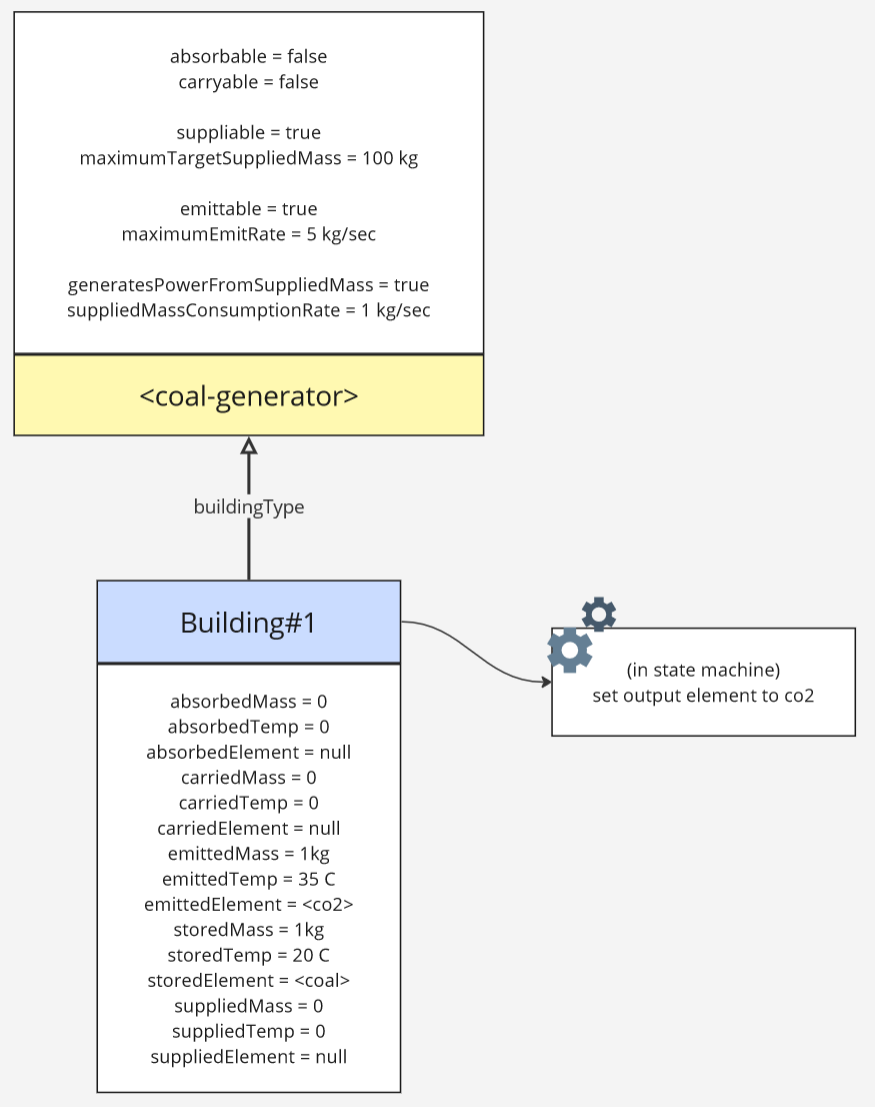
  <li>Coal generators and hydrogen generators will now automatically limit resource consumption and power generation to match the demands of the connected network
    <ul>
      <li>However this will only work as long as there is at least one power consumer on the network (including batteries)</li>
    </ul>
  </li>
  <li>Simulation fixes
    <ul>
      <li>Fixed a bug where liquids would not spread out horizontally if they were on top of a solid tile</li>
      <li>Fixed a bug where a cell with an impassable building (like a tile) could still hold a gas if it was immediately above a liquid</li>
      <li>Fixed a bug where a cell with a lot of liquid could get “stuck” next to a small amount of the same liquid if the cells were very close in mass</li>
      <li>Fixed tiles not transferring heat with connected neighbouring tiles</li>
      <li>Fixed plants’ stored masses not transferring heat with the plant itself (e.g. oxybell plants)</li>
      <li>Fixed a bug where masses stored within an object in a vacuum would not transfer heat with the building itself</li>
    </ul>
  </li>
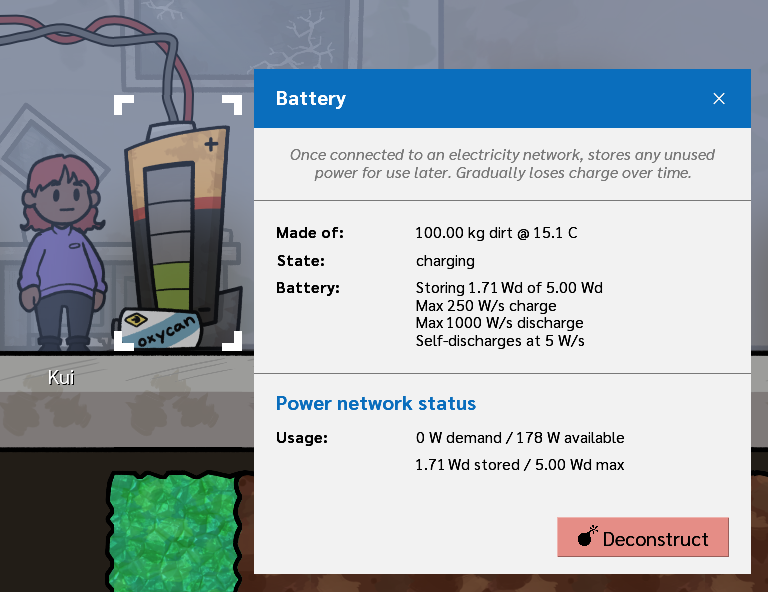
  <li>Fixed a simulation bug where power storage was incorrectly charging, discharging, and displaying at 1/24th the intended value
    <ul>
      <li>Batteries now store 120 Wd (was 5 Wd), but will otherwise charge and discharge at the same rate</li>
    </ul>
  </li>
</ul>

<h3 id="performance">Performance</h3>

<ul>
  <li>Improved the performance of the element simulation</li>
  <li>Improved rendering performance of buried objects within fog of war</li>
  <li>Improved rendering performance in-between simulation frames</li>
  <li>Improved the refresh performance of the new game screen</li>
  <li>Significantly improved the rendering performance of buildings and tilesets</li>
  <li>Significantly improved the rendering performance of power, gas, liquid, and circuit network overlays when open</li>
  <li>Generally improved rendering performance everywhere</li>
  <li>Reduced memory usage, particularly for worlds with thousands of buildings</li>
  <li>Reduced the maximum number of save files listed in the save/load dialog from 100 to 50</li>
</ul>

<h3 id="balance">Balance</h3>

<ul>
  <li>Updated world generation
    <ul>
      <li>World generation now generates a lot more magma mass, to keep the lower levels liquid and hotter for longer</li>
      <li>Solid element generation (except for transmitite) is now affected by the difficulty level (e.g. 50% on difficult)</li>
      <li>Rock generated around the crashed ship is now only granite, so that the game doesn’t have to introduce multiple building materials so early</li>
      <li>Tweaked world generation parameters to generate slightly more interesting and distinct areas</li>
      <li>A single relic will now generate close to the crashed ship site</li>
      <li>Decreased minimum depth for relic generation to 25% (was 33%)</li>
      <li>Increased the minimum number of objects attempted to generate in a new world (including ruins)</li>
      <li>Increased oxygen pocket generation in dirt and start biomes to 10-20 kg/cell (was 2-5 kg/cell)</li>
      <li>The glacier biome can now generate hydrogen and oxygen pockets</li>
      <li>Increased the number of artefacts generated at balanced and higher difficulty levels</li>
    </ul>
  </li>
  <li>Updated explorer buffs
    <ul>
      <li>Reduced explorer base happiness from 75% to 65% to balance out the positive impacts of personal bedrooms</li>
      <li>“Sad” buff decreases building speed by 10%, “happy” buff increases building speed by 10%</li>
      <li>“Lit up” buff now increases movement speed by 20% (was 40%), and now increases building speed by 10%</li>
      <li>“Starving” debuff now decreases movement/working speed by 30% (was 40%), and decreases building speed by 20%</li>
      <li>“Near nature” buff for nature lovers now only applies from nearby plants if the plants are not dead</li>
      <li>“Near relic” buff now increases happiness by 10% (was 5%), reduced nearby relic range to 8 cells (was 10), and no longer occurs from relics stored in storage boxes</li>
    </ul>
  </li>
  <li>Reduced all explorer movement speeds by 5% to make the game a little bit less intense</li>
  <li>Reduced random event chance across all difficulty levels
    <ul>
      <li>Relaxed and balanced: -50%</li>
      <li>Difficult: -31%</li>
      <li>Hardcore: -25%</li>
    </ul>
  </li>
  <li>Updated internal event budget increases from each type of world action
    <ul>
      <li>Test frequency: increased from once every 0.1 days to 0.214 days</li>
      <li>Digging: increase from 0.002 to 0.0024 per newly dug tile</li>
      <li>Passage of time: increased from 0 to 0.02 per world day</li>
      <li>Total digging: reduced from 0.0001 to 0.00005 per total cells dug</li>
      <li>Artefacts: increased from 0.04 to 0.05 per artefacts unburied</li>
    </ul>
  </li>
  <li>Explorer dig speed is now proportional to the mass being dug out from a cell
    <ul>
      <li>Minimum cell dig time is now 0.25 seconds (less than 250 kg)</li>
      <li>Maximum cell dig time is now 5.0 seconds (greater than 5000 kg)</li>
      <li>This should make it much faster to clean up the remnants of meteors and meteor showers</li>
    </ul>
  </li>
  <li>Reduced base explorer dig and build speeds by 20%, increased build speeds of wires and pipes by 20%</li>
  <li>Reduced number of cells contained in a meteor from an average of 15 to 9 (at default difficulty)</li>
  <li>Reduced number of cells contained in a meteorite from an average of 6 to 4 (at default difficulty)</li>
  <li>Reduced world generation resources multiplier in relaxed difficulty from 4x to 2x</li>
  <li>Reduced glowrose plant temperature range from (0 ~ 120 C) to (10 ~ 40 C)</li>
  <li>Added new “manufactured” element type</li>
  <li>Added new “structural solid” element type, which is any rock or any metal</li>
  <li>Beds can now be built out of any structural solid, allowing you to create iron or gold beds</li>
  <li>Glass created in the glass furnace no longer has a minimum temperature of 500°C</li>
  <li>Glass is no longer a valid meteor/meteor shower element</li>
  <li>Cryochamber revival now requires 5kg of each glowrose (was 2kg), and are also now affected by difficulty levels</li>
  <li>Increased the crashed ship ambient temperature from 15 C to 25 C</li>
  <li>Increased tree building requirements from 100kg dirt to 200kg dirt</li>
  <li>Increased battery charge rate from 250 W to 500 W, so that one coal generator can charge a battery at 100%</li>
  <li>Increased base explorer liquid disintegration rate from 1kg/sec to 2kg/sec</li>
  <li>Increased the minimum time between diary entries from 1.0 days to 1.4 days</li>
  <li>Reduced oxygen generator productivity by 50%, so that you can’t finish the game with just one oxygen generator</li>
  <li>Reduced burn oxycan recipe additional temperature to 30 K (was 100 K)</li>
  <li>Increased crashed ship supply goals
    <ul>
      <li>Oxygen: From 250kg to 500kg (default difficulty)</li>
      <li>Coralite: From 200kg to 400kg (default difficulty)</li>
    </ul>
  </li>
  <li>Refinement buildings that have not yet selected a recipe, or are missing enough resources to operate, no longer consume power</li>
  <li>Updated research requirements for some buildings
    <ul>
      <li>Display stand now requires comfort research (was alien research)</li>
      <li>Wire bridge now requires advanced power research (was basic power research)</li>
      <li>Salt lamp now requires comfort research (was automation research)</li>
    </ul>
  </li>
  <li>Added lost thought bubble and top overlay icon to stranded explorers</li>
  <li>Added idle top overlay icon to explorers with nothing to do</li>
  <li>Explorers will now pick up to 3kg of food when hungry (was 2kg), so they’re not hungry once they finish eating</li>
  <li>Reduced the minimum time between explorers with no currently assigned bed looking for new beds from 0.1 days to 0.05 days</li>
  <li>Reduced explorers’ default temperature to 30 C (was 35 C), initial oxygen temperature to 25 C (was 35 C)</li>
</ul>

<h3 id="accessibility">Accessibility</h3>

<ul>
  <li>Moved accessibility options into a new “Accessibility” options tab</li>
  <li>Added “not connected to liquid/gas network” overlay icons to the oxygen generator, liquid and gas pumps, filters, and vents</li>
  <li>The escape menu now lists “return to game” at the top of the menu, and is highlighted in green</li>
  <li>Instead of “not accessible” and “not suppliable”, the pending build errand dialog now says “nobody can reach this” and “can’t find resource”</li>
  <li>Added screen shake intensity option</li>
  <li>Right click to unselect sensitivity is no longer 0 pixels, but defaults to 5px, to make this unselect method a bit more forgiving
    <ul>
      <li>Added option to control right click sensitivity distance</li>
    </ul>
  </li>
  <li>Increased the interactable bounds of a range slider dot</li>
  <li>Added “fast camera” option and associated keyboard shortcut (default: <code class="language-plaintext highlighter-rouge">Shift</code>)
    <ul>
      <li>For example, the camera will move north much faster with <code class="language-plaintext highlighter-rouge">Shift</code>+<code class="language-plaintext highlighter-rouge">W</code> than just <code class="language-plaintext highlighter-rouge">W</code></li>
    </ul>
  </li>
  <li>Turned off edge panning when moving the camera with the mouse in fullscreen mode, as it was confusing</li>
</ul>

<h3 id="quality-of-life">Quality of life</h3>

<ul>
  <li>Added custom selected building dialogs for transmitter and distress beacons</li>
  <li>Connective buildings (such as pipes and wires) can now be replaced with new build errands using different primary elements, and existing connections will be retained</li>
  <li>When a context-sensitive overlay layer is selected (power, liquid, gas, automation), pending buildings in that layer are now rendered above actual buildings, to make replacing existing networks easier</li>
  <li>Selecting an explorer will now also render their current movement path/goal with a faint white line
    <ul>
      <li>This can be turned off in the Options, “Show explorer paths”</li>
    </ul>
  </li>
  <li>(Experimental) Temperature values for automation can now be entered in your selected temperature unit (Fahrenheit, Kelvin, etc.) rather than only Celsius</li>
  <li>(Experimental) Mass values for automation can now be entered in your selected mass unit (metric, imperial, etc.) rather than only kg</li>
  <li>When a building has a selected recipe, any input and output masses not relevant to that recipe are no longer displayed in the selected building panel
    <ul>
      <li>For example, selecting “filter salt water” on the liquid refinery no longer displays “piped in gas” or “supplied solid” masses, since that recipe only uses a single liquid input</li>
    </ul>
  </li>
  <li>Added pressure overlay (default = <code class="language-plaintext highlighter-rouge">Shift</code>+<code class="language-plaintext highlighter-rouge">F7</code>)</li>
  <li>The explorer dropdown list for assignable buildings (such as beds) now include an icon if that explorer is already assigned to a different building</li>
  <li>The pending build errand dialog now lists current and target masses together with red/green icons, making it easier to understand what’s missing</li>
  <li>The game can now temporarily display global messages for a few seconds
    <ul>
      <li>When the game is saved (either manually or automatically), a “Game saved” message will now appear and fade out</li>
    </ul>
  </li>
  <li>Some buildings now include progress %s in their selected building panel
    <ul>
      <li>A research desk will show current research progress %</li>
      <li>Lights and salt lamps will show current light output %</li>
    </ul>
  </li>
  <li>Selecting a research node in the research tree now highlights ALL unmet prerequisites</li>
  <li>Added the option to display the real world time in the top right</li>
  <li>Added “needs transmitite” overlay icon for transmitter</li>
  <li>The research tree button to start research now uses “missing desk” when there is no research desk in the world</li>
  <li>Oxygen candle holders now display a “no oxycans available” overlay icon if no oxycans are accessible</li>
</ul>

<h3 id="internal">Internal</h3>

<ul>
  <li>Updated CHARLI to Update 2
    <ul>
      <li>CHARLI notifications for random event triggers can now be permanently ignored (“don’t remind me again”) per save file, but active new events will still be listed, and the guides can still be opened</li>
      <li>Added a new CHARLI guide for automation and building your first circuit network</li>
      <li>Extended the “explorer died” guide with more guidance for unlocking revival research</li>
      <li>Extended the “high pressure” guide with more guidance and multiple steps for reducing and managing pressure</li>
      <li>Extended the “low oxygen” permament guide with more guidance about the need for long-term oxygen generation</li>
      <li>Changed “jump to location” link for the “seed self planted” guide to “jump to pant”, which automatically selects the new plant</li>
      <li>Changed “jump to location” link for transmitter guides to “jump to building”</li>
      <li>Changed “jump to location” links for spring guides to “jump to spring”</li>
      <li>Selecting an explorer in CHARLI now zooms in the camera and follows the explorer</li>
      <li>CHARLI cutscenes featuring explorers now play explorer sounds rather than CHARLI sounds</li>
      <li>Added CHARLI guides for first uncovered relic, explorer having tantrum</li>
      <li>CHARLI now has more than 60 guides and 200 steps</li>
    </ul>
  </li>
  <li>In-game database improvements
    <ul>
      <li>Added icons to all liquids and gases</li>
      <li>Added room types</li>
      <li>Added homelands</li>
      <li>Item types now list all recipes they can be used in</li>
      <li>Building types now list their default build speed</li>
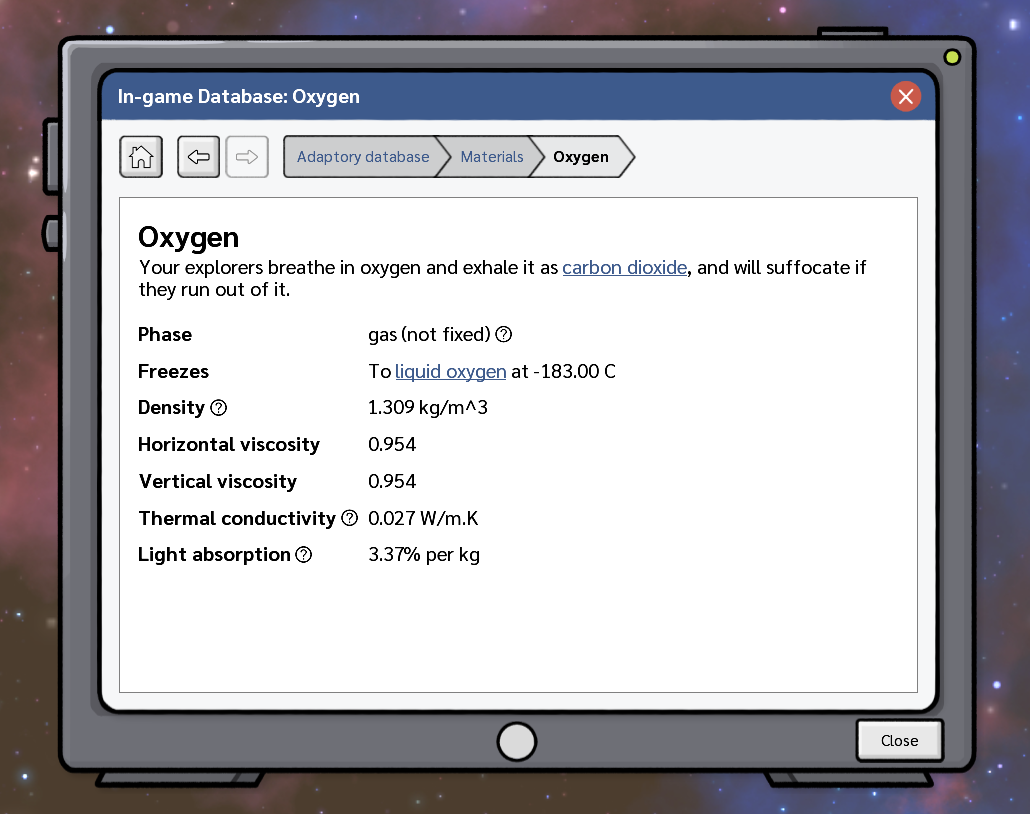
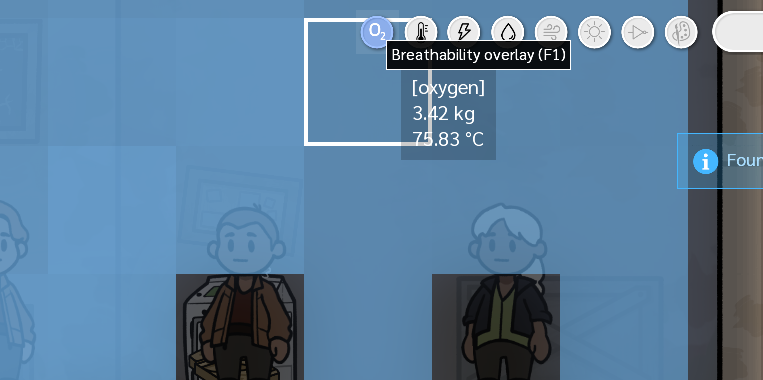
      <li>Oxygen, pipes, and wire pages now include the overlay keyboard shortcut to open that overlay</li>
    </ul>
  </li>
  <li>Homelands are now clickable in a selected explorers’ properties tab</li>
  <li>When there’s nothing to do, explorers will now sometimes perform short idle animations</li>
  <li>Added animations to solar panels</li>
  <li>Added screen shake to meteors, cargo pods, and crashing ships</li>
  <li>Replaced the darkness renderer with a higher performance, and better looking, renderer</li>
  <li>Added new “temperature” building category</li>
  <li>Refreshed the liquid and gas filter building animations</li>
  <li>Clicking on an explorer in the new game panel now plays a sound</li>
  <li>Added more descriptive labels to all raw element piles and items</li>
  <li>Background stars, liquid shaders, and other rendering effects will now pause while the game is paused</li>
  <li>If a build errand is placed while paused, the game will now display it as “unknown accessibility” and render it with white, until at least one simulation frame has passed</li>
  <li>The tooltip for building errands with multiple elements now displays “element/…” rather than just the primary element</li>
  <li>Renamed “Automatically open all CHARLI events” to “Always show tutorials”, to more clearly describe what the checkbox does</li>
  <li>Windowed fullscreen is now the default fullscreen mode on Windows (exclusive fullscreen still seems to work better on Mac)</li>
  <li>Save games will now always be paused when loaded, so that autosaves behave the same as manual saves</li>
  <li>If continuous music is not enabled and no music is playing, completing a research node will now trigger a new music track</li>
  <li>Cryochambers can now be assigned to specific explorers
    <ul>
      <li>If a cryochamber is unassigned, it will automatically be assigned to a dead explorer that does not already have a cryochamber assigned</li>
      <li>If a cryochamber is storing an explorer and the assignment is changed, the explorer will be automatically ejected</li>
    </ul>
  </li>
</ul>

<h3 id="fixes">Fixes</h3>

<ul>
  <li>Fixed pending tile build errands not rendering as a connected tileset</li>
  <li>Fixed a number of empty or blank diary entries</li>
  <li>Fixed a bug where animated buildings could clip each other depending on the order that they were built</li>
  <li>Fixed the temperature sensor displaying incorrect current values</li>
  <li>Fixed a crash that could occur if unexpected keycodes were pressed</li>
  <li>Fixed the game trying to highlight the next selectable object while trying to place a building blueprint</li>
  <li>Fixed oxycans being a valid source of salt for refining glass in furnaces</li>
  <li>Fixed deconstructing a building made out of multiple elements (such as a cryochamber) not returning all of the elements used in its construction</li>
  <li>Fixed the “advanced research” research node saying that it unlocked artefact research in the research tree, when artefact research is actually unlocked by the “alien research” node</li>
  <li>Fixed selecting a research node requirement in the research information panel not immediately refreshing the research tree layout</li>
  <li>The selected building panel for the crashed ship no longer lists “solid coralite”, but instead just lists “coralite”</li>
  <li>Fixed tutorials not being listed in CHARLI’s menu if the “Automatically open all CHARLI events” option was turned off</li>
  <li>Fixed CHARLI tutorials saying “press Escape to close the overlay”, which would close CHARLI, instead of the overlay</li>
  <li>Fixed the light building not displaying the north connective edge while placing a build errand</li>
  <li>Fixed the select material dropdown in the build panel not always being up-to-date</li>
  <li>Fixed meteors and cargo pods being able to spawn in impassable tiles at the top of the world</li>
  <li>Fixed a very unlikely crash that could occur when trying to calculate building foundations across a multithreaded simulation boundary</li>
  <li>Fixed (missing resources) text sometimes being cut off in the tile information tooltip</li>
  <li>Fixed tooltips rendering behind the highlighted UI element renderer</li>
  <li>Fixed main menu music fading in and out a little bit while going through the screens of starting a new game</li>
  <li>Fixed biome ambiences playing while on the new game dialogs</li>
  <li>Fixed a solar panel being in “working” mode when light levels were between 0 and 1 lux</li>
  <li>Fixed the game being interactable in the padding around CHARLI’s dialog</li>
  <li>Fixed “transmitter waiting” CHARLI step temporarily disappearing during the night if no buildings were consuming power during the night</li>
  <li>Fixed vertical alignment of radio buttons in the building properties of automation comparators</li>
  <li>An open dropdown will now automatically close when its parent dialog is closed, preventing a bunch of possible crashes</li>
  <li>Fixed a rare bug where explorer accessibility might not be immediately updated after deconstructing a building at the edge of a chunk boundary</li>
  <li>Fixed “unable to emit” CHARLI guide showing the wrong overlay icon</li>
  <li>Fixed inconsistent punctuation in CHARLI event tooltips</li>
  <li>Fixed long stack traces in the error dialog not word wrapping</li>
  <li>Fixed doors, hatches, and gas tanks being buildable from a distance, but not deconstructable from a distance</li>
  <li>Fixed the “build a ladder” stage of CHARLI’s initial tutorial sometimes having a gap in the highlighted world area</li>
  <li>Fixed minor texture filtering artifacts in the tile tileset</li>
  <li>Fixed “research” button on research desks being the wrong font size</li>
  <li>Fixed pending cell errands (e.g. dig) rendering behind the darkness shader</li>
  <li>Fixed world ambience playing quietly in the new game screen</li>
  <li>Fixed a research desk being supplied by 0.1kg of data chips at a time – explorers will now supply 1kg of data chips at a time</li>
  <li>Fixed the game camera continuing to move in the background while the escape menu was open</li>
</ul>]]></content><author><name>Jevon Wright</name></author><summary type="html"><![CDATA[The Temperature Update – Adaptory’s second free major update – is now LIVE!]]></summary></entry><entry><title type="html">Update 2 – Introducing Streamer mode</title><link href="https://stormcloak.games/2026/08/05/update-2-preview-3" rel="alternate" type="text/html" title="Update 2 – Introducing Streamer mode" /><published>2026-08-05T22:00:00+00:00</published><updated>2026-08-05T22:00:00+00:00</updated><id>https://stormcloak.games/2026/08/05/update-2-preview-3</id><content type="html" xml:base="https://stormcloak.games/2026/08/05/update-2-preview-3"><![CDATA[<p>In this <a href="/2026/08/03/update-2-preview-2">final preview post</a> for Adaptory Update 2,
I’m excited to round up the reveals with a small expansion to
Adaptory’s story, and a new way to play the game…</p>

<h2 id="naming-the-planet">Naming the planet</h2>

<p>After a few days of surviving this unexplored planetoid,
your explorers will want to give this planet a name!
You can enter in any name you want, or use the random planet name generator
(I’ve always wanted to make one of these! :D).</p>

<figure class="image">
  <a href="/assets/screenshots/2026-08-06-planet-name.png"><img src="/assets/screenshots/2026-08-06-planet-name.png" /></a>
  <figcaption>Explorers will refer to the planetoid name in conversations, diary entries, and major events.</figcaption>
</figure>

<h2 id="we-need-to-fix-this-ship">We need to fix this ship</h2>

<p>(Spoilers ahead)</p>

<p>In Update 2, you need to research and craft <strong>three new unique items</strong> at the <a href="/2026/07/30/update-2-preview-1">constructor</a>
to be able to reuse the crashed ship as a distress beacon:</p>

<ul>
  <li>The <strong>astrometric sensor</strong>, crafted from glass, gold, and data chips;</li>
  <li>The <strong>fuel cell</strong>, crafted from graphite, bitumen, oxycans, and insulation; and</li>
  <li>The <strong>spline reticulator</strong>, crafted from iron, diamond, and artefacts.</li>
</ul>

<p>You’ll need to create at least <strong>one</strong> of each item for the distress beacon to complete the story in Update 2.
(At <a href="/2026/04/01/update-1-preview">higher difficulty levels</a>, you’ll need two or more.)</p>

<h2 id="streamer-mode">Streamer mode</h2>

<p><strong>Streamer mode</strong> is a new, experimental way to play Adaptory for
streamers and content creators. You can now directly connect your
chat or community to Adaptory, and they can directly trigger
benefits, challenges, and all sorts of havoc. I’ve been wanting to
add this into Adaptory for a long time now :D</p>

<p>There are more than <a href="https://github.com/stormcloakgames/adaptory-streamer-mode">50 commands available</a>, and
you can choose what commands to support, when, and how they’re triggered –
perhaps with <a href="https://docs.streamer.bot/api/sub-actions/core/file-io/write-to-file">Streamer.bot</a>,
<a href="https://actionbot.app">ActionBot</a>,
<a href="https://firebot.app">FireBot</a>, or anything else really.
<a href="https://www.youtube.com/@ZeppyGame">ZeppyGame</a> has also put together a <a href="https://adaptory.wiki.gg/wiki/Stream_Integration">handy integration guide</a> –
thank you very much Zeppy &lt;3!</p>

<figure class="image">
  <a href="/assets/screenshots/2026-08-06-streamer-mode-commands.png"><img src="/assets/screenshots/2026-08-06-streamer-mode-commands.png" /></a>
  <figcaption>Some of the events you can trigger in <a href="https://github.com/stormcloakgames/adaptory-streamer-mode">Adaptory streamer mode</a></figcaption>
</figure>

<p>It’s up to you how you want to integrate Adaptory into your stream.
Do you want channel points to be used as event triggers?
Do you want donations to unlock vital research, or to kill a random explorer?
Do you want to go full <a href="https://www.youtube.com/watch?v=HscuzrpfHFY&amp;list=PLchTMRijDSBy_O15XybCgWaoNJsx8r40m">Man vs Stream</a>
where the challenge is simply surviving?
If you plan to do an Adaptory stream,
<a href="mailto:jevon@stormcloak.games">please let me know</a> because
I’d love to pop in and cause some chaos :D</p>

<ul>
  <li><a href="https://github.com/stormcloakgames/adaptory-streamer-mode">Full documentation</a></li>
  <li><a href="https://adaptory.wiki.gg/wiki/Stream_Integration">Integration guide</a> by <a href="https://www.youtube.com/@ZeppyGame">ZeppyGame</a></li>
  <li><a href="/discord">Suggest new events and commands</a></li>
</ul>

<h2 id="rendering-performance-improvements">Rendering performance improvements</h2>

<p>I’ve spent a lot of time focusing on improving Adaptory’s performance in Update 2,
and the game should now run much faster, with higher frames per second (FPS) and less memory usage.
In my local testing on some very large save files (including games with thousands of buildings),
FPS has increased by 250%+.
There will be more FPS and UPS improvements coming in the next update, too!</p>

<figure class="image">
  <a href="/assets/screenshots/2026-08-06-pluto4911.png"><img src="/assets/screenshots/2026-08-06-pluto4911.png" /></a>
  <figcaption>A massive base on day 1000 by Pluto4911</figcaption>
</figure>

<h2 id="quality-of-life">Quality of life</h2>

<p>Update 2 includes a huge range of quality of life improvements, including:</p>

<ul>
  <li>There are <strong>new CHARLI guides</strong> based on <a href="/discord">your feedback</a>; for example, CHARLI now gives more direct guidance for dealing with “explorer died”, “high pressure”, and “low oxygen” events</li>
  <li>CHARLI notifications for random events can be <strong>permanently ignored</strong> (“don’t remind me again”)</li>
  <li>Selecting a research node in the research tree highlights all <strong>unmet prerequisites</strong></li>
  <li>When an explorer is in the middle of supplying a building (such as a storage box), if the supply would no longer be valid for that building (e.g. the configuration changes), explorers will <strong>stop what they’re doing</strong> rather than continuing to supply an invalid errand</li>
</ul>

<figure class="image">
  <a href="/assets/screenshots/2026-08-06-automatic-limiting.png"><img src="/assets/screenshots/2026-08-06-automatic-limiting.png" /></a>
  <figcaption>Power generators can <b>automatically limit</b> power generation and consumption</figcaption>
</figure>

<ul>
  <li>Doors and hatches can be <strong>left open</strong> by explorers, rather than only through the circuit network</li>
  <li>Liquid and gas vents can be <strong>manually closed</strong> by explorers, rather than only through the circuit network</li>
  <li>Storage boxes are <strong>stackable</strong>, providing foundation for buildings, and are also climbable by explorers</li>
  <li>Explorer dig speed is now <strong>proportional</strong> to the mass being dug out, making meteor showers much faster to clean up</li>
</ul>

<figure class="image">
  <a href="/assets/screenshots/2026-08-06-supply-list.png"><img src="/assets/screenshots/2026-08-06-supply-list.png" /></a>
  <figcaption>Pending build errands now clearly list what materials are missing</figcaption>
</figure>

<ul>
  <li>Added the <strong>pressure overlay</strong> (Shift-F7, inside the gas overlay) to display the non-solid mass amount in each cell</li>
  <li>Conversations between explorers have a much wider range of <strong>conversation alternates</strong> so that the conversations don’t feel as repetitive</li>
  <li>The dropdown list for assigning explorers to buildings (such as beds) now show if that explorer is <strong>already assigned</strong> to another one</li>
  <li>And so, so many more improvements and little tweaks</li>
</ul>

<figure class="image">
  <a href="/assets/screenshots/2026-08-06-stackable.png"><img src="/assets/screenshots/2026-08-06-stackable.png" /></a>
  <figcaption>When an explorer is selected, their <b>movement path</b> is displayed</figcaption>
</figure>

<p>Some of these improvements are directly from ideas and suggestions shared on <a href="/discord">our Discord</a>,
so thank you – and I’d love to hear directly from you what else could be improved!
I want Adaptory to be as pleasant and accessible to play as possible,
and I appreciate every piece of feedback.</p>

<h2 id="and-all-sorts-of-other-stuff">And all sorts of other stuff</h2>

<p>These three preview posts touch on just <strong>some</strong> of the new functionality and gameplay
scattered throughout the update. It’s been a while since Update 1 and we’ve been focusing on
improving every aspect of the game, from start to finish. The full patch notes
for The Temperature Update is more than <strong>seventeen pages long</strong> and will be revealed tomorrow!!</p>]]></content><author><name>Jevon Wright</name></author><summary type="html"><![CDATA[In this final preview post for Adaptory Update 2, I’m excited to round up the reveals with a small expansion to Adaptory’s story, and a new way to play the game…]]></summary></entry><entry><title type="html">Update 2 – Things are heating up</title><link href="https://stormcloak.games/2026/08/03/update-2-preview-2" rel="alternate" type="text/html" title="Update 2 – Things are heating up" /><published>2026-08-03T22:00:00+00:00</published><updated>2026-08-03T22:00:00+00:00</updated><id>https://stormcloak.games/2026/08/03/update-2-preview-2</id><content type="html" xml:base="https://stormcloak.games/2026/08/03/update-2-preview-2"><![CDATA[<p>In this second of <a href="/2026/07/30/update-2-preview-1">three preview posts</a>
for Adaptory Update 2, let’s talk about the “temperature” part of The Temperature Update!</p>

<figure class="image">
  <a href="/assets/screenshots/2026-08-04-temperature-overlay.png"><img src="/assets/screenshots/2026-08-04-temperature-overlay.png" /></a>
  <figcaption>Adaptory's updated temperature overlay (F3) in a chilly world</figcaption>
</figure>

<h2 id="explorer-and-building-temperatures">Explorer and building temperatures</h2>

<p>Just like every object in the game, your <strong>explorers</strong> absorb and conduct body heat
with their local environment, and in Update 2, they are much more sensitive to temperature:</p>

<ul>
  <li>If their body temperature is within the <strong>comfort range</strong> (20~30 °C),
explorers will feel fine and dandy. If their body is outside of that range,
they will become upset. Explorers’ temperatures will naturally converge to the
midpoint of this range.</li>
  <li>If their body temperature is within the <strong>safety range</strong> (10~40 °C),
explorers can still do errands, but they’ll be upset.
Outside of that range, explorers will actively <strong>stop</strong> what they’re doing,
run away to safety, and they’ll throw a <strong>temperature tantrum</strong> to rapidly heat
themselves up or cool themselves down.</li>
  <li>Explorers will try to avoid or do any personal errands inside any cell that is outside
the <strong>extreme range</strong> (-10~60 °C). (No more writing diary entries in magma!)</li>
</ul>

<p>An explorers’ body temperature will tend towards neutral (25 °C) naturally through <strong>thermostasis</strong>,
and will be affected by the temperature and thermal conductivity of their surroundings.
For example, if they’re sitting in a puddle of cold water, their body temperature will rapidly decrease.
The rate of thermostasis can also be affected by your game’s difficulty level.</p>

<p>Most <strong>buildings</strong> now also have operating temperature ranges, and will automatically
shut down if their temperatures are outside of a safe range.
(Building operating temperatures are not enabled on the <em>relaxed</em> difficulty level.)</p>

<p>With explorer and building temperatures, I’ve tried to make temperature management
and interactions meaningful, without being frustrating or irrelevant.
I think we’ve found a really good balance, but <a href="/discord">I’d love to hear your feedback</a>. Balance is tricky!</p>

<figure class="image">
  <a href="/assets/screenshots/2026-08-04-overheating.png"><img src="/assets/screenshots/2026-08-04-overheating.png" /></a>
  <figcaption>Shern is having a temperature tantrum to try and cool down</figcaption>
</figure>

<h2 id="background-temperatures">Background temperatures</h2>

<p>Each cell in the world now has a <strong>background temperature</strong>,
which very gradually increases or decreases the temperature of objects in that cell.
These background temperatures tend to keep icy areas frozen and the deep underground molten.</p>

<figure class="image">
  <a href="/assets/screenshots/2026-08-04-background-temperature.png"><img src="/assets/screenshots/2026-08-04-background-temperature.png" /></a>
  <figcaption>The new "background temperature" (Shift-F3) overlay shows background temperatures, and cells where the background is blocked</figcaption>
</figure>

<p>To prevent background temperature, you can dig out cells and remove all mass to turn them
into a <strong>vacuum</strong> (which has zero mass, so cannot transfer heat),
or you can build <strong>background panels</strong> and <strong>tiles</strong> which block background temperature.</p>

<p>There are also FOUR new random events in Update 2: <strong>planet heating up</strong> and <strong>planet cooling down</strong>,
which globally increases or decreases the background temperature of the entire planet;
and <strong>hot meteor</strong> and <strong>cold meteor</strong>, which are much rarer than normal meteors, but have contents
that are much hotter or colder than normal.
You’ll probably want to start looking into short and medium-term temperature solutions…</p>

<h2 id="heating-and-cooling">Heating and cooling</h2>

<p>To survive this much more dynamic temperature environment, your explorers can now
research and unlock <strong>new technologies</strong> and buildings to passively and actively
heat and cool the environment. These technologies will be essential to your crews’
long-term survival – especially if you want to start digging deeper…</p>

<p>For passive heating and cooling,
<strong>radiators</strong> (liquid) and <strong>heat exchangers</strong> (gas) are unpowered buildings that exchange
heat from their contents to their environment.
Heating and cooling can be further accelerated with the new <strong>heat sink panel</strong>,
which rapidly accelerates heat transfer in its installed cell.</p>

<p>For active heating and cooling, <strong>space heaters</strong> turn power into heat, and
<strong>liquid coolers</strong> basically turn power into cold. (Technically they use power
to turn water into steam, and that process removes heat from the building,
which in turn removes it from the environment.)
There are also new temperature-specific liquid and gas <strong>“thermofilters”</strong>,
allowing you to filter out mass packets that match a temperature range
(similar to liquid and gas filters).</p>

<figure class="image">
  <a href="/assets/screenshots/2026-08-04-heater.png"><img src="/assets/screenshots/2026-08-04-heater.png" /></a>
  <figcaption>A space heater being used to warm up a chilly bedroom</figcaption>
</figure>

<h2 id="insulation">Insulation</h2>

<p>Your explorers can now create <strong>insulation</strong> (a new element)
by melting <strong>glass</strong> and <strong>brown bernies</strong> together in a <a href="/2026/04/01/update-1-preview">glass furnace</a>.
Insulation can be used in the new <strong>insulated liquid and gas pipes</strong> to transport
freezing cold or boiling hot materials safely. It can also be used in the new
<strong>insulated tile</strong> (an upgrade of the basic <strong>tile</strong>) to significantly slow down
heat transfer between adjacent cells.</p>

<figure class="image">
  <a href="/assets/screenshots/2026-08-04-creating-insulation.png"><img src="/assets/screenshots/2026-08-04-creating-insulation.png" /></a>
  <figcaption>Creating insulation at a glass furnace</figcaption>
</figure>

<h2 id="improved-element-simulation">Improved element simulation</h2>

<p>In Update 2, <strong>every</strong> part of the element simulation has been improved. I’ve taken
all of <a href="/discord">your feedback</a> to develop a much better element simulation
that should behave a lot better and be more intuitive. Thank you to everyone
on the <a href="/discord">unstable Discord</a> for testing these new systems!!</p>

<p>(As part of my experiments, I looked at implementing <a href="https://en.wikipedia.org/wiki/Navier%E2%80%93Stokes_equations">Navier-Stokes equations</a>
– and I got pretty far –
but all of the references I found assumed the simulation of a single incompressible
fluid with constant density and viscosity, and many neglected gravity, so I just couldn’t work it out for now. I
<a href="https://discord.com/channels/1065726561581531176/1065726561581531178/1493726779301695709">also looked at simulating sub-cells</a>,
but that would significantly reduce the maximum world size we could simulate on the average PC.
So, Adaptory implements some novel solutions that mostly work and hopefully make sense.
I wish I had a degree in <a href="https://en.wikipedia.org/wiki/Computational_fluid_dynamics#Discretization_methods">computational fluid dynamics</a>…).</p>

<h3 id="liquids">Liquids</h3>

<p>Liquids now act much more “fluidy” and much less “sticky”.
Large puddles of liquid will no longer be blocked by small amounts of gas;
liquids will tend to horizontally spread out, pushing other gases out of the way;
and they will also push back against overcompression in all directions, behaving less
like a gas. Liquid expansion and compression is still controlled by the liquids’ <strong>viscosity</strong> and <strong>density</strong>, so that
magma (deep underground) remains very sticky.</p>

<p>Most buildings will now be <strong>flooded</strong> if they’re submerged in liquids,
and you may need to use liquid pumps or <a href="/2026/04/03/update-1-preview-2">liquid disintegration</a> to clean things up.</p>

<h3 id="gases">Gases</h3>

<p>Gases now act much more “gassy” and much less “blobby”.
Large cells of gas will no longer be blocked by small amounts of liquid,
and gases will tend to “layer” more, so you should find that carbon dioxide will tend to
settle towards the bottom of the map more rapidly.
Gases are also now much more compressible, and expand equally in all directions.</p>

<p>Along with the standard heat conduction simulations, Adaptory now also emulates
<a href="https://en.wikipedia.org/wiki/Convection_(heat_transfer)">heat convection</a> for gases and liquids –
which is the tendency for hot fluids to rise, and for cooler fluids to sink.
As a result, temperature gradients in your base should now diffuse much more rapidly.</p>

<figure class="image">
  <a href="/assets/screenshots/2026-08-04-gas-layers.png"><img src="/assets/screenshots/2026-08-04-gas-layers.png" /></a>
</figure>

<h3 id="items">Items</h3>

<p>Previously, you could store ice in a storage box and nothing would happen.
Now you’ll need to be more careful; items and masses stored inside boxes, pipes,
and other buildings can now <strong>phase change</strong> to a different element if they
get too hot or too cold, and that stored ice can melt.</p>

<p>This also means that items like brown bernies and data chips
can technically melt if they get too hot (at 1723 °C and 3836 °C respectively);
but if your food is <em>melting</em>,
you’ll probably have more urgent things to worry about…</p>

<h2 id="and-theres-more">And there’s more!?</h2>

<p>Can you believe there’s still <em>more</em> to reveal!?
Stay tuned to see the final preview, which includes
an expansion of Adaptory’s story, and a new way to play the game!</p>]]></content><author><name>Jevon Wright</name></author><summary type="html"><![CDATA[In this second of three preview posts for Adaptory Update 2, let’s talk about the “temperature” part of The Temperature Update!]]></summary></entry><entry><title type="html">Update 2 – Building the foundation</title><link href="https://stormcloak.games/2026/07/30/update-2-preview-1" rel="alternate" type="text/html" title="Update 2 – Building the foundation" /><published>2026-07-30T17:00:00+00:00</published><updated>2026-07-30T17:00:00+00:00</updated><id>https://stormcloak.games/2026/07/30/update-2-preview-1</id><content type="html" xml:base="https://stormcloak.games/2026/07/30/update-2-preview-1"><![CDATA[<p>There’s just one week left until Adaptory’s <a href="/2026/07/14/update-2-non-binary">second major update</a> comes out,
and I’m excited to finally start revealing what’s coming in the update.
This is a <em>huge</em> update that needs <strong>three more posts</strong> to
adequately preview everything that’s coming, and we’ll be posting
these previews on <a href="/blog">the blog</a>, <a href="/discord">on Discord</a>, <a href="https://store.steampowered.com/news/app/2201620">on Steam</a>,
and <a href="https://linktr.ee/stormcloakgames">on all the socials</a>.</p>

<p>In today’s post, I’d like to share some of the major new content you’ll get to play with in <strong>Adaptory Update 2!</strong></p>

<h2 id="explorer-expectations">Explorer expectations</h2>

<figure class="image">
  <a href="/assets/screenshots/2026-07-31-bedroom-requirements.png"><img src="/assets/screenshots/2026-07-31-bedroom-requirements.png" /></a>
  <figcaption>At medium expectations, Kinta is happy with this bedroom... for now</figcaption>
</figure>

<p>Once your explorers have stopped merely surviving, they’ll want to start thriving. As you progress through the game
and the research tree, explorers will gradually increase their <strong>expectations</strong> through four levels:</p>

<ul>
  <li><strong>No expectations</strong>, immediately after crash landing;</li>
  <li><strong>Low expectations</strong>, once 10% of the research tree is completed;</li>
  <li><strong>Medium expectations</strong>, once 30% of the research tree is completed, or the crashed ship has been investigated; and</li>
  <li><strong>High expectations</strong>, once 60% of the research tree has been completed.</li>
</ul>

<p>At low expectations or higher, explorers will become unhappy unless they have a personal bedroom (see below),
and they may <a href="/2026/01/25/early-access-identity">have a tantrum</a> if they become too unhappy.
At higher expectation levels, they’ll also start demanding specific personal touches to their bedroom,
which are a combination of specific requirements from their traits, personality type, and backstory.</p>

<p>At the highest expectation level, explorers will want <em>all</em> of their bedroom requirements to be satisfied.
It’s up to you to work out how to design and layout your explorers’ bedrooms to satisfy all of these requirements!</p>

<h2 id="rooms">Rooms</h2>

<figure class="image">
  <a href="/assets/screenshots/2026-07-31-laboratory.png"><img src="/assets/screenshots/2026-07-31-laboratory.png" /></a>
  <figcaption>Mainframes and research analysers now need to be placed in a <b>laboratory</b> alongside a research desk</figcaption>
</figure>

<p>Update 2 introduces the concept of <strong>rooms</strong>, which are enclosed areas of the world, each with a
dedicated function. A room cannot be too big or too small, and the room must be surrounded by solid cells or other buildings.
In Update 2, there are three <strong>room types</strong>:</p>

<ul>
  <li><strong>Bedrooms</strong>, containing a <em>bed</em>, which are assigned to a single explorer as a personal bedroom;</li>
  <li><strong>Laboratories</strong>, containing a <em>research desk</em>, which hold all of the research equipment necessary to unlock advanced research; and</li>
  <li><strong>Conservatories</strong>, containing a <em>planter box</em>, which improve the mood of every explorer that passes through.</li>
</ul>

<p>Rooms are automatically created by the game when an enclosed area contains a particular building.
Some rooms have additional requirements that need to be satisfied (e.g. a conservatory needs at least three different
plant types in it). We’ve also added a new <strong>room overlay</strong>, accessible by pressing <code class="language-plaintext highlighter-rouge">F4</code>, which shows all of the
rooms in your world.</p>

<figure class="image">
  <a href="/assets/screenshots/2026-07-31-room-overlay.png"><img src="/assets/screenshots/2026-07-31-room-overlay.png" /></a>
</figure>

<h2 id="bean-bags">Bean bags</h2>

<p>Update 2 includes a total of <strong>21 new buildings</strong> that your explorers can unlock
in the research tree and build – and the research tree has another <strong>six nodes</strong> to unlock, too.</p>

<p>One of these new buildings is the <strong>bean bag</strong> – finally, explorers can have a bit of a break and rest their weary feet!
When an explorer has nothing to do, they’ll look for an unoccupied bean bag to sit on,
which will improve their mood and reduce their stamina consumption.</p>

<figure class="image">
  <a href="/assets/screenshots/2026-07-31-bean-bags.png"><img src="/assets/screenshots/2026-07-31-bean-bags.png" /></a>
  <figcaption>Bean bags come in your choice of over nine colours! (There are ten!)</figcaption>
</figure>

<p>We’ve also added buildable <strong>hanging plants</strong> and <strong>potted plants</strong>, which mostly just look nice.
(They also give a mood buff to nearby nature-loving explorers.)</p>

<h2 id="deep-freezes">Deep freezes</h2>

<p>If you’ve been in the unfortunate situation of an explorer running out of oxygen,
you’ll know that the technology for revival (the <strong>cryochamber</strong>) is far down the research tree –
but in the meantime, your dead explorer is just lying there on the ground, making everyone else upset.</p>

<p>Update 2 introduces the <strong>deep freeze</strong> building that can temporarily store dead explorers until
revival technology is unlocked. It doesn’t require any power to use; all it needs is some ice.
That said, let’s hope we don’t need to use it too much…</p>

<figure class="image">
  <a href="/assets/screenshots/2026-07-31-deep-freeze.png"><img src="/assets/screenshots/2026-07-31-deep-freeze.png" /></a>
  <figcaption>It's OK, Rosid... we'll find a way to bring you back...</figcaption>
</figure>

<h2 id="faraday-cages">Faraday cages</h2>

<p>So long, solar flares! Explorers can now build <strong>faraday cages</strong> to protect essential
areas of their base from the effects of solar flares. Solar flares will not shut down
any power generators or consumers in an area, as long as that area is completely surrounded
by a faraday cage. They also cannot be built in the same cell as a wire, but
explorers can build a <strong>wire bridges</strong> over them.</p>

<figure class="image">
  <a href="/assets/screenshots/2026-07-31-faraday-cage.png"><img src="/assets/screenshots/2026-07-31-faraday-cage.png" /></a>
  <figcaption>Faraday cages can keep critical power infrastructure safe</figcaption>
</figure>

<h2 id="shredders-and-constructors">Shredders and constructors</h2>

<p>The <strong>constructor</strong> is a brand new powered building that can construct complex parts and unique items,
including some <strong>new items</strong> that we will need to get off of this planet. Constructors
can create one item at a time, and require an explorer to operate.</p>

<figure class="image">
  <a href="/assets/screenshots/2026-07-31-constructor.png"><img src="/assets/screenshots/2026-07-31-constructor.png" /></a>
  <figcaption>Constructors can be used to create <b>oxycans</b> from salt and iron</figcaption>
</figure>

<p>The <strong>shredder</strong> is the unpowered evil twin of the constructor; explorers can use shredders
to inefficiently pulverise objects and resources back into other resources. For example, basalt and
<a href="/2026/04/03/update-1-preview-2">glass</a>
can be smashed up into raw sand, and you can turn excess oxycans back into raw salt.</p>

<h2 id="advanced-power-buildings">Advanced power buildings</h2>

<p>All of these new buildings will increase the power demands of our base, so the research tree
includes two new buildings to generate more power.</p>

<p>The <strong>advanced solar panel</strong> is an upgrade to the regular solar panel, that generates twice as
much power for the same footprint as a basic solar panel, but requires <strong>glass</strong> in order to build.</p>

<p>And, the <strong>hydrogen generator</strong> is a powerful late-game power generator that generates a massive amount
of power from <strong>hydrogen</strong> (which we can either obtain from the environment, or from our industrial processes),
but it does consume nearby <strong>oxygen</strong>, and it exhausts <strong>steam</strong> into the environment that we’ll need to deal with.</p>

<p>We can also use the new <strong>power switch</strong> building to isolate different power networks.
Explorers can turn the switch on and off manually, or we can automate the switch using the
<a href="/2025/02/05/automation-preview">circuit network</a>.</p>

<figure class="image">
  <a href="/assets/screenshots/2026-07-31-power-switch.png"><img src="/assets/screenshots/2026-07-31-power-switch.png" /></a>
  <figcaption>The power switch can be used to manually separate power networks</figcaption>
</figure>

<h2 id="and-what-about-temperature">And what about temperature?</h2>

<p>In the next preview post, we’ll introduce the “temperature” part of The Temperature Update.
We’ll be sharing the post on <a href="/blog">the blog</a>, <a href="/discord">on Discord</a>, <a href="https://store.steampowered.com/news/app/2201620">on Steam</a>,
and <a href="https://linktr.ee/stormcloakgames">on all the socials</a> –
so make sure you’re following!</p>

<figure class="image no-shadow smaller">
  <a href="/assets/screenshots/2026-07-31-preview-2-teaser.png"><img src="/assets/screenshots/2026-07-31-preview-2-teaser.png" /></a>
</figure>]]></content><author><name>Jevon Wright</name></author><summary type="html"><![CDATA[There’s just one week left until Adaptory’s second major update comes out, and I’m excited to finally start revealing what’s coming in the update. This is a huge update that needs three more posts to adequately preview everything that’s coming, and we’ll be posting these previews on the blog, on Discord, on Steam, and on all the socials.]]></summary></entry><entry><title type="html">Update 2 release date + Nonbinary Coded Games</title><link href="https://stormcloak.games/2026/07/13/update-2-non-binary" rel="alternate" type="text/html" title="Update 2 release date + Nonbinary Coded Games" /><published>2026-07-13T16:00:00+00:00</published><updated>2026-07-13T16:00:00+00:00</updated><id>https://stormcloak.games/2026/07/13/update-2-non-binary</id><content type="html" xml:base="https://stormcloak.games/2026/07/13/update-2-non-binary"><![CDATA[<p>We’re very excited to share the official launch date for Adaptory’s
second major Early Access update…</p>

<p><strong>Update 2: The Temperature Update</strong> is launching at <strong>10am Thursday 6 August</strong> (PDT)!</p>

<ul>
  <li><strong>New Zealand</strong> – 5am NZST (7 August)</li>
  <li><strong>Australia</strong> – 3am AEST (7 August)</li>
  <li><strong>Germany</strong> – 7pm CEST (6 August)</li>
  <li><strong>United Kingdom</strong> – 5pm UTC / 6pm BST (6 August)</li>
  <li><strong>United States</strong> – 10am PDT / 1pm EDT (6 August)</li>
</ul>

<figure class="image">
  <a href="https://store.steampowered.com/app/2201620/Adaptory/"><img src="/assets/screenshots/2026-03-18-roadmap2.png" /></a>
  <figcaption>Snippet from Adaptory's <a href="https://store.steampowered.com/app/2201620/Adaptory/">roadmap</a></figcaption>
</figure>

<p>Over the next few weeks, we’ll be sharing <a href="/2026/06/25/update-2-steam-summer-sale">more</a> previews of what’s coming
in this massive update,
so make sure you’re following us on
<a href="https://bsky.app/profile/stormcloak.games">BlueSky</a>,
<a href="https://www.instagram.com/stormcloakgames">Instagram</a>,
<a href="https://mastodon.gamedev.place/@stormcloak">Mastodon</a>, and <a href="/discord">join us on Discord</a>.
And <a href="https://store.steampowered.com/app/2201620/Adaptory/">wishlist the game on Steam</a> if you haven’t done so already!</p>

<figure class="image">
  <a href="https://store.steampowered.com/curator/46105077/sale/NonbinaryCodedGames"><img src="/assets/screenshots/2026-07-13-nonbinary.png" /></a>
  <figcaption>Adaptory is in <a href="https://store.steampowered.com/curator/46105077/sale/NonbinaryCodedGames">Nonbinary Coded Games!</a></figcaption>
</figure>

<p>We’re also thrilled to share that Adaptory is featured
in the <a href="https://store.steampowered.com/curator/46105077/sale/NonbinaryCodedGames"><strong>Nonbinary Coded Games</strong></a> festival launching today!
<a href="/team">Jevon</a> is proudly non-binary, and strongly believes
everyone in the world should feel safe and supported to be their authentic selves.
Did you know that in Adaptory your crew can be non-binary too?</p>

<blockquote>
  <p>July 14th is International Nonbinary People’s Day, so we’re showcasing games by devs who are nonbinary, genderqueer, and outside the gender binary, along with games that have nonbinary rep! Take a look and see the spectrum of what we have to offer 🌈</p>
</blockquote>

<p>Please come and check out <a href="https://store.steampowered.com/curator/46105077/sale/NonbinaryCodedGames">some amazing games and free demos</a>,
made by awesome peeps around the world.</p>

<p>Thank you very much <a href="https://nomnomnami.com/">nomnomnami</a> and <a href="https://npckc.net/">npckc</a>
for creating and hosting the event &lt;3</p>]]></content><author><name>Jevon Wright</name></author><summary type="html"><![CDATA[We’re very excited to share the official launch date for Adaptory’s second major Early Access update…]]></summary></entry><entry><title type="html">Update 2 news, and 20% off in the Steam Summer Sale</title><link href="https://stormcloak.games/2026/06/25/update-2-steam-summer-sale" rel="alternate" type="text/html" title="Update 2 news, and 20% off in the Steam Summer Sale" /><published>2026-06-25T21:00:00+00:00</published><updated>2026-06-25T21:00:00+00:00</updated><id>https://stormcloak.games/2026/06/25/update-2-steam-summer-sale</id><content type="html" xml:base="https://stormcloak.games/2026/06/25/update-2-steam-summer-sale"><![CDATA[<p>Since <a href="/2026/04/04/update-1-live">Update 1: The Materials Update</a> was released,
we haven’t stopped, and we’re now entirely focused on the next update.
The final scope has been decided, all of the major content is being
balanced and polished, tutorials are being written, and the finish line is in sight…
including these mysterious objects:</p>

<figure class="image no-shadow">
  <a href="/assets/screenshots/2026-06-25-update-2-teaser.png"><img src="/assets/screenshots/2026-06-25-update-2-teaser.png" /></a>
  <figcaption>???</figcaption>
</figure>

<p>The release date for Update 2 will be announced soon, and I can’t wait to start showing
you some of the new systems and improvements that are coming to Adaptory! This update
is a big one!</p>

<p>Adaptory is also <strong>20% off</strong> in <a href="https://store.steampowered.com/app/2201620/Adaptory/">the Steam Summer Sale</a>,
running 25 June to 9 July.</p>

<p>If you haven’t picked up your copy yet, now is a great time!</p>

<figure class="steam">
  <iframe src="https://store.steampowered.com/widget/2201620/" frameborder="0" width="646" height="190"></iframe>
</figure>]]></content><author><name>Jevon Wright</name></author><summary type="html"><![CDATA[Since Update 1: The Materials Update was released, we haven’t stopped, and we’re now entirely focused on the next update. The final scope has been decided, all of the major content is being balanced and polished, tutorials are being written, and the finish line is in sight… including these mysterious objects:]]></summary></entry><entry><title type="html">The Materials Update is LIVE!</title><link href="https://stormcloak.games/2026/04/03/update-1-live" rel="alternate" type="text/html" title="The Materials Update is LIVE!" /><published>2026-04-03T16:55:00+00:00</published><updated>2026-04-03T16:55:00+00:00</updated><id>https://stormcloak.games/2026/04/03/update-1-live</id><content type="html" xml:base="https://stormcloak.games/2026/04/03/update-1-live"><![CDATA[<p>Adaptory’s first major Early Access update is <strong>now live!!</strong></p>

<figure class="image">
  <a href="https://store.steampowered.com/app/2201620/Adaptory/"><img src="/assets/screenshots/2026-04-03-update1.png" /></a>
</figure>

<p><strong>The Materials Update</strong> touches on every aspect of the game,
from making the game easier (or harder) with <strong>difficulty levels</strong>,
adding more <strong>materials</strong> and resource management to the game,
refinement and <strong>recipes</strong>, new <strong>buildings</strong> and options,
and lots of balance and quality of life tweaks;
the full patch notes are listed below.</p>

<p>If you previously found Adaptory too easy or too hard, this is the update for you!</p>

<p>Steam should automatically update your copy of Adaptory to the latest version.
If you don’t already have the game, our publisher <a href="https://indie.io">indie.io</a>
has included Adaptory in <a href="https://store.steampowered.com/developer/indieio/sale/indieiofranchisesale-2026?tab=9">their publisher Steam sale</a>,
launching today. Get <a href="https://store.steampowered.com/app/2201620/Adaptory/">25% off Adaptory</a>
for a very limited time!</p>

<figure class="steam">
  <iframe src="https://store.steampowered.com/widget/2201620/" frameborder="0" width="646" height="190"></iframe>
</figure>

<h2 id="whats-next">What’s next?</h2>

<p>Now that Update 1 is finally out, I’ll be spending today <a href="https://www.twitch.tv/directory/category/adaptory">watching streams</a>,
celebrating the release,
and trying to find any last remaining bugs and balance issues to patch.
Please <a href="mailto:jevon@stormcloak.games">let me know</a> if you plan
on streaming Update 1, or if you find any issues!</p>

<p>I’ve learned a lot from the process of developing this update; releasing an Update is quite different than
releasing into Early Access, and I’ve taken a lot of notes. I’ve already started production on the second
Adaptory update, with a release date TBA, so watch this space – and let me know what you’d like me to prioritise.</p>

<figure class="image">
  <a href="https://store.steampowered.com/app/2201620/Adaptory/"><img src="/assets/screenshots/2026-03-18-roadmap2.png" /></a>
  <figcaption>What's coming in Update 2, I wonder...?</figcaption>
</figure>

<p>And if you somehow manage to beat the hardcore difficulty level without cheating, please <a href="mailto:jevon@stormcloak.games">let me know</a> 😅</p>

<h2 id="reviews">Reviews</h2>

<p>Thank you very much to <a href="/discord">everyone on Discord</a> who has helped play and test
these unstable versions, and everyone who has sent through feedback,
played the game on stream, or left a Steam review since we launched into Early Access.
I’ve gratefully read every comment and captured every suggestion.</p>

<p>Reviews are incredibly important to help improve Adaptory’s visibility going forward – so
please consider leaving an <strong>honest review</strong> of Adaptory <a href="https://store.steampowered.com/app/2201620/Adaptory/">on Steam</a>.
Thank you!</p>

<figure class="image">
  <a href="https://store.steampowered.com/app/2201620/Adaptory/"><img src="/assets/screenshots/2026-01-27-steam-review.png" /></a>
  <figcaption>Please consider leaving an honest review of Adaptory on Steam &lt;3</figcaption>
</figure>

<p>Full patch notes for Update 1 are below.</p>

<hr />

<h1 id="release-notes-for-adaptory-017-update-1-the-materials-update">Release notes for Adaptory 0.17 (Update 1: The Materials Update)</h1>

<h3 id="new-features">New features</h3>

<ul>
  <li>Difficulty levels!
    <ul>
      <li>Relaxed: for anyone who hasn’t played this kind of game before, give them less stress and more time to explore and learn and understand the mechanics in a much more forgiving (but still challenging) environment</li>
      <li>Balanced: (this was the default difficulty before) this should always be fun but slightly challenging</li>
      <li>Difficult: for anyone who found ‘balanced’ easy, this should be possible but challenging</li>
      <li>Hardcore: the developer isn’t confident this difficulty can be finished</li>
    </ul>
  </li>
  <li>Each difficulty level is made up of a number of different settings:
    <ul>
      <li>Building requirements: how many resources are needed to satisfy essential buildings (such as the transmitter and distress beacon)</li>
      <li>Explorer death: whether explorers can die from low oxygen, and if death is permanent (dead explorers will still be storable in cryochambers)</li>
      <li>Explorer speed: how quickly explorers move</li>
      <li>Event frequency: how often the game tries to trigger random world events</li>
      <li>Event chance: how often random event tests will succeed, triggering an event</li>
      <li>Event scale: increases or decreases the size of events that do occur (how many meteors, length of time, etc.)</li>
      <li>Event difficulty: the distribution of events between generally positive and generally negative</li>
      <li>Oxygen consumption: how quickly explorers absorb oxygen and convert it into carbon dioxide</li>
      <li>Oxygen generation: how much oxygen is generated by trees and oxygen candle holders</li>
      <li>Research cost: how many data chips are required per research node</li>
      <li>Resources: how many resources are generated in world generation</li>
      <li>Plant growth: how quickly plants grow</li>
      <li>Plant death: how quickly plants reverse their growth when they fail to meet growth requirements</li>
      <li>Stamina consumption: how quickly explorers consume stamina per second</li>
      <li>Space exposure: how much mass is lost to unblocked space exposure per second</li>
    </ul>
  </li>
  <li>New buildings!
    <ul>
      <li>Gas tank: Can store 250kg of gas, and can be closed manually, or with the circuit network. Can also send a signal to the circuit network</li>
      <li>Gas refinery: Can refine gases into new materials, based on its selected recipe</li>
      <li>Glass furnace: Explorers can use this to turn sand and salt into glass (and magma)</li>
      <li>Grate: Provides foundation to buildings and explorers, but allows liquids and gases to pass through</li>
      <li>Liquid refinery: Can refine liquids into new materials, based on its selected recipe</li>
      <li>Liquid tank: Can store 5000kg of liquid, and can be closed manually, or with the circuit network. Can also send a signal to the circuit network</li>
      <li>Window: Made out of glass, allows light and aurora to pass through while still being impassable to liquids and gases</li>
    </ul>
  </li>
  <li>New building category: Resources
    <ul>
      <li>Moved storage box and big storage box into this category</li>
    </ul>
  </li>
  <li>Refining
    <ul>
      <li>Materials can now be refined using the liquid and gas refineries</li>
      <li>Added “boil water” recipe, turning water into steam</li>
      <li>Added “coal liquefaction” recipe, turning coal and steam into crude oil (and more steam)</li>
      <li>Added “dry ice” recipe, turning carbon dioxide and water into dry ice and steam</li>
      <li>Added “filter salt water” recipe, turning salt water into water and salt</li>
      <li>Added “rocket fuel” recipe, turning crude oil and oxygen into rocket fuel</li>
    </ul>
  </li>
  <li>Multiple building elements
    <ul>
      <li>Different buildings can now have different building requirements</li>
      <li>For example, all tiles and ladders now require a rock material, rather than dirt</li>
      <li>Some buildings (research analyser, salt lamp etc.) now require more than one element to build</li>
      <li>Existing saves should be automatically migrated, but you’ll probably want to start a new save, since world generation has been updated to generate much less dirt</li>
      <li>Updated all biomes to generate iron, more rock types, less dirt</li>
      <li>Buildings can be built on top of the same building if the new building has a different primary element</li>
      <li>Your choice of primary element for a building type will be stored in your save file, and reloaded in future saves</li>
      <li>When the primary element dropdown appears, the total accessible and unreserved mass for that element will also be displayed</li>
    </ul>
  </li>
  <li>Some buildings are now retextured using their primary element, giving you a wider palette to play with
    <ul>
      <li>Tile, ladder, background panel</li>
      <li>E.g. marble tiles are brighter, basalt tiles are darker</li>
      <li>What buildings would you like to be retextured next? Let me know!</li>
    </ul>
  </li>
  <li>Recipes
    <ul>
      <li>Buildings that do element conversions and processes (e.g. oxygen generation, oxycan holder) now use <em>recipes</em></li>
      <li>Different buildings can have different possible recipes, and you can select the specific recipe for each building</li>
      <li>Selecting a building will display the current building’s recipe</li>
      <li>The in-game database will more clearly describe the inputs and outputs for each possible recipe for a building</li>
      <li>Recipes can be locked behind different research nodes</li>
      <li>When a building changes recipe, any mismatching solid, liquid, or gas stored masses will be automatically ejected into the world</li>
    </ul>
  </li>
  <li>Liquid disintegration action
    <ul>
      <li>Explorers can now disintegrate small amounts (less than 100kg per cell) of liquids, anywhere in the world</li>
      <li>This permanently deletes the mass from the world, allowing you to clean up puddles of liquids that might be present</li>
      <li>This is intended to be temporary until I’ve added more buildings and mechanics to deal with small amounts of liquids, and after work currently planned for Update 2</li>
      <li>Liquid disintegration is locked behind the new “disintegration” research node, to not overwhelm new players</li>
    </ul>
  </li>
  <li>New explorer buffs
    <ul>
      <li>Above tile: +10% movement speed if directly above a tile (the building)</li>
      <li>Above window: -10% happiness, -50% movement speed if directly above a window</li>
      <li>Relaxed: +5% happiness if the world difficulty is easy</li>
      <li>Nervous: -5% happiness if the world difficulty is difficult</li>
      <li>Impending doom: -10% happiness if the world difficulty is hardcore</li>
    </ul>
  </li>
  <li>Added new “refining”, “tanks”, “disintegration”, and “basic rocketry” research nodes</li>
  <li>The “sensors” research node now also enables liquid and gas tanks to send signals to the automation network</li>
  <li>Added a new neutral random event “shock wave”
    <ul>
      <li>The remants of an ancient and distant supernova are washing a random gas over the planetoid, affecting all unblocked space exposure tiles</li>
    </ul>
  </li>
  <li>Added nine new elements: bitumen, crude oil, marble, glass, iron, molten iron, iron gas, rocket fuel, and salt water</li>
  <li>Added a new music track to play over the initial game tutorial &lt;3</li>
</ul>

<h3 id="story">Story</h3>

<ul>
  <li>The distress beacon now requires oxygen and rocket fuel to launch, rather than water and hydrogen
    <ul>
      <li>Loading an existing save will automatically replace any stored masses to match</li>
    </ul>
  </li>
</ul>

<h3 id="simulation">Simulation</h3>

<ul>
  <li>Increased liquid packet size from 2kg to 5kg (pipes, pumps, vents, filters)
    <ul>
      <li>Oxygen generator has remained at 1kg/sec water consumption, so one liquid pump can now potentially supply five generators</li>
    </ul>
  </li>
  <li>When an explorer is low on oxygen and running to find some, if they pass a location where they can breathe, they will now stop running and breathe that oxygen instead, <em>unless</em> that cell has less than 50g of oxygen (about two seconds’ worth), <em>OR</em> there is a door or hatch occupying this location
    <ul>
      <li>This should prevent explorers from interrupting a “running to catch breath” errand too early, and prevent them from holding open doors to catch their breath</li>
    </ul>
  </li>
  <li>Dead explorers will now automatically be pushed out of impassable tiles</li>
  <li>Explorers will now not do personal errands in a 1x2 space where the top of the space is occupied by a door/hatch</li>
  <li>Explorers must now be immediately next to a door in order to lock/unlock it</li>
  <li>The effects of aurora are now considered blocked by a cell with a light absorption factor greater than 25%, rather than if the cell is currently impassable</li>
  <li>If an element cell changes phase into a solid, the cell will now turn into a raw item if the cell mass is low (by default, less than 10kg), rather than into a solid tile</li>
  <li>Oxygen candle holders and planter boxes will no longer be supplied with more than a single unit at a time (oxycan or seed)
    <ul>
      <li>Previously, an oxygen candle holder could be supplied with up to 500kg of oxycans in a single trip, even though one oxycan is normally 35kg</li>
    </ul>
  </li>
  <li>All buildings that now require foundation or ceiling can now also be “buried” in impassable tiles, with a new “buried” overlay icon, preventing them from working</li>
</ul>

<h3 id="performance">Performance</h3>

<ul>
  <li>Moved coal generators’ power generation calculations from the element simulation to the building simulation</li>
  <li>Significantly improved the performance of errand pathfinding for worlds with hundreds of tile or supply errands</li>
  <li>Improved tile errand simulation performance for worlds with hundreds of supply or storage buildings</li>
</ul>

<h3 id="balance">Balance</h3>

<ul>
  <li>Updated world generation
    <ul>
      <li>Tweaked how resources and plants were generated as part of world generation, to work with difficulty levels</li>
      <li>World generation can now generate gas pockets</li>
      <li>World generation can now generate marble, iron, salt, and salt water</li>
      <li>Ocean biomes can now generate salt water springs</li>
      <li>Deep biomes can now generate crude oil springs</li>
      <li>Oddberries will no longer generate within the first 40% of the world</li>
      <li>Increased the natural spring cycle range from (120 ~ 480 sec) to (600 ~ 2400 sec)</li>
    </ul>
  </li>
  <li>Reduced base explorer movement speeds by 10%, just to give everything a bit more space to breathe</li>
  <li>Reduced base explorer oxygen consumption from 29.7 g/sec to 14.85 g/sec</li>
  <li>Increased explorer carbon dioxide minimum emission mass from 0 g to 5.9 g
    <ul>
      <li>This should look more like breathing, and should also result in fewer random carbon dioxide blobs throughout your base</li>
    </ul>
  </li>
  <li>Increased tree building mass from 10kg to 100kg</li>
  <li>Elements can now have multiple element tags (e.g. fuel, rock, metal), although these only impact building materials for now</li>
  <li>Reduced oxygen generator maximum output storage from 10kg to 2kg per element</li>
  <li>Reduced tree photosynthesis maximum conversion rate from 500g/sec (previously enough for 50+ explorers/tree) to 40g/sec (still enough for 10 explorers/tree)</li>
  <li>Reduced tree maximum stored mass from 1kg to 0.1kg (oxygen and carbon dioxide)</li>
  <li>Increased power generation from coal and coralite by a factor of four</li>
  <li>Reduced coal generator fuel consumption, and output generation, by a factor of four</li>
  <li>The automation, computing, and sensors research nodes now also require a working research mainframe</li>
  <li>Reduced average spring in drought event length from 6.0 days to 3.0 days</li>
  <li>Reduced average spring in flood event length from 7.0 days to 4.0 days</li>
  <li>Updated random events triggering and size to difficulty level
    <ul>
      <li>Random events can now occur based on the total number of tiles dug out, so that long games will continue to have new random events</li>
      <li>Updated most random events to increase/decrease their scale/size based on the difficulty level (e.g. more or larger meteors, longer solar flare, etc.)</li>
      <li>Increased the average time for random event tests from 0.06 world days to 0.1 days, before difficulty levels</li>
      <li>Reduced the global chance of a random event occuring from 100% to 50%</li>
      <li>“Spring appeared” random event now triggers up to 30 cells away from an explorer (up from 15)</li>
      <li>Reduced the chance of the “spring appeared” event occuring by 33%</li>
    </ul>
  </li>
  <li>Updated how much the internal event budget increases from each type of world action, updated at each random event test (once every 0.1 days)
    <ul>
      <li>Passage of time: 0 per world day (not changed)</li>
      <li>Digging: increase from 0.0014 to 0.002 per newly dug tile</li>
      <li>Total digging: increased from 0 to 0.0001 per total tiles dug</li>
      <li>Artefacts: decreased from 1.12 to 0.06 per artefacts unburied</li>
    </ul>
  </li>
  <li>Increased the standard time taken to complete research to 8 seconds per step (was 4 seconds)</li>
  <li>Increased minimum time between conversations from 0.01 world days to 0.02 world days</li>
  <li>Increased the length of conversations from 0.025 world days to 0.03 world days</li>
  <li>Reduced explorers’ base social consumption from 1% per second to 0.5% per second, so they shouldn’t need to talk as much (they were just a little bit tooooo chatty)</li>
  <li>Reduced explorers’ base hunger consumption from 0.5% per second to 0.4% per second, so they shouldn’t need to eat as often</li>
  <li>Reduced explorers’ base stamina consumption from 0.3% per second to 0.25% per second, so they shouldn’t need to go to bed as often</li>
  <li>Explorers now gain an additional 0.4% stamina per second while in bed, making beds much more effective</li>
  <li>Increased the stamina gain effect of sleeping on the floor or in a bed by 20%</li>
  <li>Increased the visual delay between conversation asks and replies from 3 seconds to 4 seconds</li>
  <li>Reduced the chance an explorer would do an idle wander from 0.1% to 0.05%</li>
  <li>“Builder” and “hates building” explorer traits are now mutually exclusive</li>
  <li>Reduced base space exposure loss from 5g/sec to 2.5g/sec</li>
  <li>Space exposure now also loses mass proportional to the mass in each cell, at 0.25%/sec</li>
</ul>

<h3 id="accessibility">Accessibility</h3>

<ul>
  <li>Added small icons to all elements and item types in the resource counter</li>
  <li>Updated the cell information tooltip (element, mass, temperature, lux, etc.)
    <ul>
      <li>The tooltip now scales to UI scale %</li>
      <li>The tooltip now hides when another tooltip is being displayed from an overlay layer</li>
      <li>While dragging a build, the total building requirements for that build will be displayed</li>
    </ul>
  </li>
  <li>Added “no light” overlay icon and tooltip for trees and solar panels without light</li>
  <li>Added lock or unlock selected building keyboard shortcut (default <code class="language-plaintext highlighter-rouge">L</code>)</li>
  <li>Added toggle selected building keyboard shortcut (default <code class="language-plaintext highlighter-rouge">T</code>)</li>
</ul>

<h3 id="quality-of-life">Quality of life</h3>

<ul>
  <li>The detailed information box in the build panel is now collapsable</li>
  <li>Build errands that are accessible, but don’t have enough materials available to supply them, are now rendered in red</li>
  <li>Added “suppliable” property to a pending build errand’s panel</li>
  <li>Added “accessibility” property to a building that has a pending errand, in the selected building’s “properties” tab</li>
  <li>The mass, temperature, and element in liquid and gas pipes is now immediately visible with a tooltip in the liquid or gas network overlay</li>
  <li>Selecting a bed will now display e.g. “Frank’s Bed” or “Unassigned Bed” in the selected building panel</li>
  <li>You can now hide the “research finished” CHARLI notification until the next research node is finished</li>
  <li>Added “blocked by high pressure” overlay icon for springs that are blocked (e.g. by another solid tile)</li>
  <li>If the overlay layer has changed from selecting a building in the build panel, the overlay layer will no longer be reset when selecting context-specific “deconstruct” or “cancel” world actions</li>
  <li>Explorers who are in danger (less than 40% oxygen) now have a red border in the select explorer panel (at the top of the screen)</li>
  <li>When on a supported overlay layer, context-specific errands (build, deconstruct, cancel) are now rendered on top of other errands, making them easier to see</li>
  <li>Errands and buildings can now be marked as low priority, and these errands will be done last
    <ul>
      <li>Added keyboard shortcut for low priority, default <code class="language-plaintext highlighter-rouge">Ctrl+Shift+P</code></li>
    </ul>
  </li>
  <li>Added new option, “Automatically open all CHARLI events”
    <ul>
      <li>For experienced Adaptory players who have seen all of CHARLI’s helpful tips, this can reduce the notification noise</li>
      <li>CHARLI will no longer show messages for tutorials and guides completed in other save games</li>
      <li>Important events, such as story events and random world events, will still appear</li>
      <li>This is turned on by default, but if it works really well, I could make it turn off by default?</li>
    </ul>
  </li>
</ul>

<h3 id="internal">Internal</h3>

<ul>
  <li>Updated CHARLI to Update 1
    <ul>
      <li>Added new “building materials”, “complex buildings”, and “previous tutorials” guides</li>
      <li>Refreshed tutorials with a couple more steps and images to help new players</li>
      <li>For tutorials highlighting areas in the game, each point is now highlighted separately, rather than a single area showing the maximum bounds of all highlighted points</li>
      <li>Fixed long-running world events (solar flare, meteor shower, etc.) not re-opening CHARLI the second time</li>
    </ul>
  </li>
  <li>In-game database improvements
    <ul>
      <li>Added “growth test every”, “test success”, and “test failure” properties for each plant type</li>
      <li>Buildings and explorers now displays effective rates for e.g. oxygen consumption</li>
      <li>The element list now includes separate sections for each element type (e.g. rock, metal, fuel)</li>
      <li>Each item type now also lists the type of items it is (e.g. food, seed, fuel)</li>
      <li>The difference between coal and coralite power generation is now clearly listed in the in-game database page for coal generator</li>
      <li>Added in-game database page for relic items (a generic page)</li>
    </ul>
  </li>
  <li>Tooltips and dropdowns can now align bottom and/or right to the mouse cursor when they appear, so that they are not clipped off the edge of the screen</li>
  <li>Updated “base” building category icon</li>
  <li>Added particles to springs when liquid is emitted</li>
  <li>Added new “locked by circuit” overlay icon to buildings</li>
  <li>Updated pending and unconnected circuit network points in the circuit network overlay to be more readable</li>
  <li>The selected building panel now displays maximum storage for all input and output slots for every building (pipes, tanks, etc.) without needing to refer to the in-game database</li>
  <li>The circuit network overlay now displays visually distinct icons for “read” and “write” points</li>
  <li>Added tooltips to circuit network overlay</li>
  <li>Improved performance of circuit network overlay renderer</li>
  <li>Increased the minimum rendered size of liquid/gas packets from 0% to 20%, so tiny packets are still visible (and not 1px)</li>
  <li>The liquid/gas packet renderer is no longer affected by world light levels, so the network and packet contents should be easier to see</li>
  <li>Renamed “spring in drought” to “reduced spring” to make it clear the spring is still creating elements</li>
  <li>Selecting a research node in the research tree no longer lists the research nodes that it unlocks, because this information is already shown on the tree</li>
  <li>The select explorer panel now shows what explorers are doing with an icon (sleeping, eating, having a tantrum, etc.)</li>
  <li>Bitumen is a valid solid fuel for coal generators, with more than twice the efficiency of coal, but does not naturally generate in world generation</li>
  <li>Cleaned up the text in the tile information tooltip
    <ul>
      <li>Added “(missing resources)” if not enough resources are available for a build errand</li>
    </ul>
  </li>
  <li>Increased the number of FMOD channels to improve the sound quality for saves with hundreds of active buildings</li>
  <li>The selected characters’ errands panel now says “supplying coralite to coal generator” rather than “to 26,30”</li>
</ul>

<h3 id="fixes">Fixes</h3>

<ul>
  <li>Fixed <code class="language-plaintext highlighter-rouge">spring amplified</code> event not triggering as frequently as intended</li>
  <li>Fixed an explorers’ research speed sometimes using their digging speed instead</li>
  <li>Fixed a bug where liquid or gas packets in the network would sometimes be able to merge with mismatching elements already present in a blocked vent</li>
  <li>Fixed automation networks layer sometimes not updating when a building changed the signal it was sending to a network with no other network components</li>
  <li>Fixed a migration bug where old save files could add or remove too much stored temperature when the internal storage of a building had changed</li>
  <li>Fixed liquid and gas pumps absorbing from the environment at 100% efficiency when the building was underpowered</li>
  <li>Fixed world generation generating collections of background bricks floating in space exposure</li>
  <li>Fixed world generation generating “bricks” buildings in solid elements</li>
  <li>Fixed some large animated buildings not being rendered at the edges of the screen if placed on a chunk boundary</li>
  <li>Fixed a bug where pending building errands would not immediately visually update when their accessibility changed</li>
  <li>Fixed the bottom-right world actions panel breaking layout at 130% UI scale</li>
  <li>Fixed pending connection tooltips and icons (liquid network source, power network connection, etc.) sometimes getting in the way of a pending build command, causing flickering</li>
  <li>Fixed background bricks being unexpectedly deconstructed when building a tile or ladder above it</li>
  <li>Explorers who are in the process of dying can no longer absorb oxygen, as it’s confusing</li>
  <li>Fixed a bug where if an explorer was assigned to a cryochamber, but the errand was somehow removed or cancelled, the explorer might not be supplied to that cryochamber</li>
  <li>Fixed buildings locked behind research (like the light) being buildable before research was unlocked by using the keyboard shortcut (<code class="language-plaintext highlighter-rouge">O</code>), or by selecting the duplicate button in the selected building panel</li>
  <li>Fixed explorers talking about past aurora in the present tense</li>
  <li>Fixed a visual bug where inoperable solar panels (e.g. solar flare, no foundation) looked like they were generating power</li>
  <li>Plants can no longer self-seed behind large buildings</li>
  <li>Fixed oddberries trying to self-seed on the ground; they now self-seed on the ceiling, as long as they’re in a one-tile gap</li>
  <li>Fixed a visual bug where selected springs could say they were creating a negative amount of mass</li>
  <li>Fixed a pathfinding bug where explorers low on oxygen would sometimes select a far-away target with little oxygen to catch their breath if the oxygen level within a 10-cell radius was always less than 1kg</li>
</ul>]]></content><author><name>Jevon Wright</name></author><summary type="html"><![CDATA[Adaptory’s first major Early Access update is now live!!]]></summary></entry><entry><title type="html">Update 1 – Distress beacon and QOL preview</title><link href="https://stormcloak.games/2026/04/02/update-1-preview-2" rel="alternate" type="text/html" title="Update 1 – Distress beacon and QOL preview" /><published>2026-04-02T21:00:00+00:00</published><updated>2026-04-02T21:00:00+00:00</updated><id>https://stormcloak.games/2026/04/02/update-1-preview-2</id><content type="html" xml:base="https://stormcloak.games/2026/04/02/update-1-preview-2"><![CDATA[<p>In this second and final preview post for <a href="/2026/03/31/update-1-preview">the Materials Update</a>,
I want to cover some of the other polish and tweaks you’ll get to play with in Adaptory’s first
major Early Access update, coming out <strong>tomorrow</strong>!!</p>

<h2 id="distress-beacon-spoiler-alert">Distress beacon (spoiler alert)</h2>

<p>In Update 1, we’ve changed the launching requirements of the distress beacon to make a little bit more sense.
You gain access to the distress beacon after sending the signal from your transmitter.</p>

<p>Instead of requiring water and hydrogen to launch, the beacon now requires <strong>oxygen</strong> and a brand new
element: <strong>rocket fuel</strong>!</p>

<figure class="image">
  <a href="/assets/screenshots/2026-04-02-distress-beacon.png"><img src="/assets/screenshots/2026-04-02-distress-beacon.png" /></a>
  <figcaption>We need more industry to get off of this planetoid</figcaption>
</figure>

<p>Rocket fuel is produced at the new <strong>liquid refinery</strong> building by combining crude oil and oxygen.
<strong>Crude oil</strong> is another new element in Update 1, which can either be found naturally deep underground
from springs, or it can be produced at a <strong>gas refinery</strong> through combining coal and steam –
giving you plenty of options on how to tackle this challenge!</p>

<p>I’ve also added a new random world event into this update: the <strong>shock wave</strong>.
This event causes a wave of gas – hydrogen, oxygen, or carbon dioxide –
to wash over the unblocked space exposure tiles at the top of the world.</p>

<h2 id="windows-and-grates">Windows and grates</h2>

<figure class="image">
  <a href="/assets/screenshots/2026-04-02-aurora-sleeping.png"><img src="/assets/screenshots/2026-04-02-aurora-sleeping.png" /></a>
  <figcaption>Sleeping under the glow of an aurora</figcaption>
</figure>

<p>More options for your base design, unlockable through the research tree!</p>

<ul>
  <li>
    <p><strong>Grates</strong> are solid tiles that provide foundation for your explorers and other buildings,
but allow gases and liquids to pass through. This can help with the flow of resources
throughout your base (especially while we work on Update 2’s element simulations,
which I’m hoping will fix the “sticky gas” problem).</p>
  </li>
  <li>
    <p><strong>Windows</strong> are solid tiles that also provide foundation, but allow light and aurora to pass through,
while blocking gases and liquids. Your explorers can finally see what’s going on outside!
Windows are made with the new <strong>glass</strong> element, which you can get by
melting sand and salt together in a <strong>glass furnace</strong>.</p>
  </li>
</ul>

<h2 id="liquid-disintegration">Liquid disintegration</h2>

<p>You can finally clean up all those puddles of water from any steam cavern incidents!</p>

<figure class="image">
  <a href="/assets/screenshots/2026-04-02-liquid-disintegration.png"><img src="/assets/screenshots/2026-04-02-liquid-disintegration.png" /></a>
  <figcaption>Clean up all of those messy puddles</figcaption>
</figure>

<p>The new <strong>liquid disintegration</strong> world action gives you the option to <strong>permanently delete</strong> small
amounts of liquids (less than 100kg per cell) in the world.
An explorer has to come and actively use their multilaser to
do this, and it’s also locked behind the new “liquid disintegration” node in the research tree
so that it’s not overwhelming to new players.</p>

<p>Liquid disintegration is intended to be temporary, until I’ve added in more buildings,
mechanics, and art in future updates to deal with small amounts of liquids –
but at least now there’s a way to clean up some of these puddles.</p>

<h2 id="heads-up-explorer-display">Heads-up explorer display</h2>

<p>The top explorer selection bar has been polished in this update. Now along with
their mood, the game will also show an icon if the explorer is busy doing something
(sleeping, eating, writing in their diary, etc.) –
and more importantly, will glow red if an explorer is dangerously low on oxygen.</p>

<figure class="image">
  <a href="/assets/screenshots/2026-04-02-explorer-hud.png"><img src="/assets/screenshots/2026-04-02-explorer-hud.png" /></a>
</figure>

<h2 id="balance-tweaks-qol-and-other-stuff">Balance tweaks, QOL and other stuff</h2>

<p>World generation has been updated: pockets of gas can now be generated in world generation;
four new elements can now appear naturally (marble, iron, salt, and salt water);
natural springs can now create salt water or crude oil; and oddberries have been
moved much deeper underground (since they’re quite confusing for new players).
I strongly recommend starting a fresh new save to have the most fun.</p>

<p>I’ve also managed to add a couple of quality of life features that have been bugging
me for a while:</p>

<ul>
  <li>When on a supported overlay layer (like the liquid, gas, or power overlays),
context-specific errands (build, deconstruct, cancel) for that layer are now rendered
on top of everything else – making them easier to see</li>
  <li>I’ve added <strong>low priority</strong> as another explorer prioritisation option; explorers will
do errands marked as low priority last</li>
  <li>Build errands that are accessible, but are missing resources, are now rendered in a different
colour, and are marked as “missing resources” in the selected errand panel</li>
  <li>The resource counter now has icons for each element and item type</li>
  <li>And plenty of other tweaks and polish</li>
</ul>

<p>I’ve also been tweaking a lot of Adaptory’s balance to work better at each difficulty level;
relaxed should be much easier, and difficult should be much more challenging.
Thank you very much to everyone <a href="/discord">on Discord</a> who’s been helping to test the balance!
Game balance is never finished though, so I do really want to hear your feedback
from all of these changes, especially at the different difficulty levels.
I want Adaptory to be challenging but fun for a wide range of players.</p>

<h2 id="and-its-out-tomorrow">And it’s out tomorrow!</h2>

<p>The full patch notes for The Materials Update is more than eight pages long,
with more unrevealed secrets too, so these two preview posts
have only covered the highlights – but the game is feeling really good. I cannot wait
for you to play the updated game <strong>tomorrow</strong>!</p>

<p>If you’re planning to stream your first playthrough, please <a href="mailto:hello@stormcloak.games">let me know</a>!
Jevon will be floating around YouTube and Twitch all day and would love to say hi :D</p>

<figure class="steam">
  <iframe src="https://store.steampowered.com/widget/2201620/" frameborder="0" width="646" height="190"></iframe>
</figure>]]></content><author><name>Jevon Wright</name></author><summary type="html"><![CDATA[In this second and final preview post for the Materials Update, I want to cover some of the other polish and tweaks you’ll get to play with in Adaptory’s first major Early Access update, coming out tomorrow!!]]></summary></entry><entry><title type="html">Update 1 – Gameplay and systems preview</title><link href="https://stormcloak.games/2026/03/31/update-1-preview" rel="alternate" type="text/html" title="Update 1 – Gameplay and systems preview" /><published>2026-03-31T21:00:00+00:00</published><updated>2026-03-31T21:00:00+00:00</updated><id>https://stormcloak.games/2026/03/31/update-1-preview</id><content type="html" xml:base="https://stormcloak.games/2026/03/31/update-1-preview"><![CDATA[<p>We’re just a few days away from <a href="/2026/03/18/update-1-release-date">the Materials Update</a>,
Adaptory’s exciting first major update!
Today I’ll be sharing a little preview of what’s coming.</p>

<h2 id="difficulty-levels">Difficulty levels</h2>

<p>The most common feedback I’ve received since EA was that the game was either too easy. OR it was
too hard. (Which probably means launch balance was perfect!? 😂)</p>

<figure class="image">
  <a href="/assets/screenshots/2026-03-30-difficulty-levels.png"><img src="/assets/screenshots/2026-03-30-difficulty-levels.png" /></a>
  <figcaption>You can now choose your level of Adaptory challenge</figcaption>
</figure>

<p>In the Materials Update, we’ve added <strong>difficulty levels</strong> to give you more control
over how you want to play Adaptory, with four options:</p>

<ul>
  <li>
    <p><strong>Relaxed:</strong> This difficulty level makes the game much less stressful, as explorers can no longer die.
Random events are less frequent, and more likely to be positive; oxygen generation is
easier; and the world is generated with many more resources. This is a great place to
start if you’ve never played a game like Adaptory before.</p>
  </li>
  <li>
    <p><strong>Balanced:</strong> Previously the default difficulty level, this is the way Adaptory is meant to be played –
the game is balanced, fun, and challenging.
Explorers can die, but they can be revived in cryochambers.
This is a good place to start if you have previous experience with base-building games
or other colony sims.</p>
  </li>
  <li>
    <p><strong>Difficult:</strong> At this difficulty level, everything is more challenging.
Resources are rarer, and random events occur more frequently and are more likely
to be negative. If you found Adaptory too easy in a previous playthrough,
this mode should be… a lot more interesting.</p>
  </li>
  <li>
    <p><strong>Hardcore:</strong> Explorers death is permament, resources and data chips are
scarce,
and random events never seem to stop. You’ll need to have complete
mastery of the game to get through this difficulty, and I’m not
confident it can be finished… not recommended 😅</p>
  </li>
</ul>

<p>At the moment, difficulty level is locked in at the start of the game (because it
affects world generation and building properties).</p>

<h2 id="no-longer-just-dirt">No longer just dirt</h2>

<figure class="image">
  <a href="/assets/screenshots/2026-03-30-cryochamber-materials.png"><img src="/assets/screenshots/2026-03-30-cryochamber-materials.png" /></a>
  <figcaption>Cryochambers are now constructed out of a combination of rock, iron, and glass</figcaption>
</figure>

<p>Buildings are now made out of different materials – and in some cases, more than one.
When you start the game, everything will still be buildable with a single
element (most likely you’ve crash-landed on granite) but as you unlock the research tree,
more complex buildings will become available to you.</p>

<p>Most buildings can be made with any “type” of material; for example, <em>tiles</em> and
<em>ladders</em> can be made with any “rock” type, which includes granite, graphite, basalt,
and a new element: <strong>marble</strong>. Some buildings can also be tinted with their primary element,
and the range of tintable buildings will increase in each update,
so you can have more control over how your base looks!</p>

<figure class="image">
  <a href="/assets/screenshots/2026-03-30-tinting.png"><img src="/assets/screenshots/2026-03-30-tinting.png" /></a>
  <figcaption>Tiles, ladders, and background panels buildings are now tintable (left to right: marble, granite, basalt, graphite)</figcaption>
</figure>

<p>We’ve also added the new <strong>iron</strong> element to the game, an abundant metallic resource
usable in powered buildings – so you’ll always want to have a supply on-hand.
Iron will only be generated in new worlds, so I’d recommend
starting a new save. That said, existing save games will automatically migrate any
existing buildings, and iron is a valid element dropped by meteors and meteor showers…</p>

<h2 id="refining-and-storage">Refining and storage</h2>

<figure class="image">
  <a href="/assets/screenshots/2026-03-30-refinery-buildings.png"><img src="/assets/screenshots/2026-03-30-refinery-buildings.png" /></a>
  <figcaption>Some of the new resources buildings in the Materials Update</figcaption>
</figure>

<p>To round out the <em>materials</em> part of this update, we’ve also added
five new buildings to help you with storage, processing, and refinement:</p>

<ul>
  <li><strong>Gas tanks</strong>, which hold up to 250 kg of any gas for later use;</li>
  <li><strong>Liquid tanks</strong>, which hold up to 5000 kg of any liquid;</li>
  <li><strong>Gas refineries</strong> and <strong>liquid refineries</strong>, which allow your explorers to
process resources into new materials. Refining is a background process
that doesn’t require an explorer to manage; and</li>
  <li><strong>Glass furnaces</strong>, allowing your explorers to create the new building material <strong>glass</strong>
by combining sand with salt.</li>
</ul>

<p>Tanks can be manually closed by an explorer, or controlled with automation,
or – if you unlock the new <strong>sensors</strong> research node – send signals
directly to the circuit network, based on their contents.</p>

<p>This update also introduces <strong>recipes</strong>, which are unlocked through the research tree
as well. Buildings and explorers now more clearly show what recipe is going on,
and the refineries allow you to select which recipe to run. Recipe functionality will be used
extensively in a future update 😉</p>

<figure class="image">
  <a href="/assets/screenshots/2026-03-30-tree-recipe.png"><img src="/assets/screenshots/2026-03-30-tree-recipe.png" /></a>
  <figcaption>Buildings and explorers now clearly show what recipe is happening</figcaption>
</figure>

<h2 id="and-more">And more</h2>

<p>There’s more to preview than can fit in a single blog post, so make sure
to come back in a few days’ time for the second part of the preview,
where I’ll cover some of the quality of life updates, and also (spoiler alert)
reveal a slight tweak to the distress beacon…</p>

<p>I’m really excited to get this major update out into the wild, I’m having a lot of fun
playtesting it, trying in vain to keep everyone in my hardcore world alive,
and I can’t wait to share it with you. :D</p>]]></content><author><name>Jevon Wright</name></author><summary type="html"><![CDATA[We’re just a few days away from the Materials Update, Adaptory’s exciting first major update! Today I’ll be sharing a little preview of what’s coming.]]></summary></entry><entry><title type="html">Update 1 – Release date</title><link href="https://stormcloak.games/2026/03/18/update-1-release-date" rel="alternate" type="text/html" title="Update 1 – Release date" /><published>2026-03-18T21:00:00+00:00</published><updated>2026-03-18T21:00:00+00:00</updated><id>https://stormcloak.games/2026/03/18/update-1-release-date</id><content type="html" xml:base="https://stormcloak.games/2026/03/18/update-1-release-date"><![CDATA[<p>Time flies! It feels like we only just <a href="/2026/01/26/early-access-live">entered Early Access</a>, but we’ve been busy in the background working
on Adaptory’s first EA update while simultaneously releasing <a href="https://store.steampowered.com/news/app/2201620">five small patches since release</a>.</p>

<p>We are very excited to share that we have an official launch date for Adaptory’s first major Early Access update…</p>

<p><strong>Update 1: The Materials Update</strong> is launching at <strong>10am Friday 3 April</strong> (PDT)!</p>

<ul>
  <li><strong>New Zealand</strong> – 6am NZDT (4 April)</li>
  <li><strong>Australia</strong> – 4am AEDT / 1am AWST (4 April)</li>
  <li><strong>Germany</strong> – 7pm CEST (3 April)</li>
  <li><strong>United Kingdom</strong> – 5pm UTC / 6pm BST (3 April)</li>
  <li><strong>United States</strong> – 10am PDT / 1pm EDT (3 April)</li>
</ul>

<figure class="image">
  <a href="https://store.steampowered.com/app/2201620/Adaptory/"><img src="/assets/screenshots/2026-03-18-roadmap1.png" /></a>
  <figcaption>Snippet from Adaptory's <a href="https://store.steampowered.com/app/2201620/Adaptory/">roadmap</a></figcaption>
</figure>

<p>This is Adaptory’s first major EA update, with many more to come, and it adds a lot of new content:
from <strong>new ways to play the game</strong>, to <strong>new systems and buildings to explore</strong>,
and of course <strong>more polish</strong>, tutorials, and <strong>quality of life</strong> improvements.
I <a href="/discord">want to hear your feedback</a> on the new systems so we can continue to refine and improve Adaptory!</p>

<p>Over the next week we will share some previews of what’s coming,
so make sure you’re following us on
<a href="https://bsky.app/profile/stormcloak.games">BlueSky</a>,
<a href="https://www.instagram.com/stormcloakgames">Instagram</a>,
<a href="https://mastodon.gamedev.place/@stormcloak">Mastodon</a>, and <a href="/discord">join us on Discord</a> –
and <a href="https://store.steampowered.com/app/2201620/Adaptory/">wishlist the game on Steam</a> if you haven’t done so already.</p>

<p>Also: Please consider <a href="https://store.steampowered.com/app/2201620/Adaptory/">leaving an honest review of Adaptory on Steam</a>,
if you haven’t already done so. Now that Adaptory has launched into Early Access,
every single review helps a lot with visibility on Steam, and will be greatly appreciated. 🙂</p>

<figure class="image">
  <a href="https://store.steampowered.com/app/2201620/Adaptory/"><img src="/assets/screenshots/2026-01-29-steam-review.png" /></a>
  <figcaption>Please consider leaving an honest review of Adaptory on Steam &lt;3</figcaption>
</figure>]]></content><author><name>Jevon Wright</name></author><summary type="html"><![CDATA[Time flies! It feels like we only just entered Early Access, but we’ve been busy in the background working on Adaptory’s first EA update while simultaneously releasing five small patches since release.]]></summary></entry></feed>